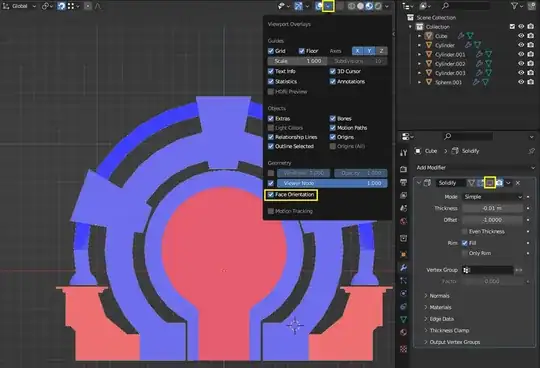
To see the problem, you have to enable Face Orientation under Viewport Overlays and temporarily disable the Solidify Modifier by disabling that monitor icon. Notice that you have inverted Face Normals as displayed as red faces. Fix them first by selecting all objects and then going into Edit Mode with tab then press A to select all faces and then go to menu Mesh > Normals > Recalculate Outside or use shortcut Shift+N. Also also while all faces are selected press M > Merge By Distance to remove 5 duplicate overlapping vertices.
And then fix this non-manifold geometry by either deleting the internal faces marked with a red X. And the face between and above the faces marked with a yellow X. And then fill the missing face. Then again recalculate normals with Shift+N.

Then lastly remove the Mirror Modifier for Cylinder.002, which you don't need, because it is causing the whole arch to overlap with the original. Or delete the other half of it before mirroring.