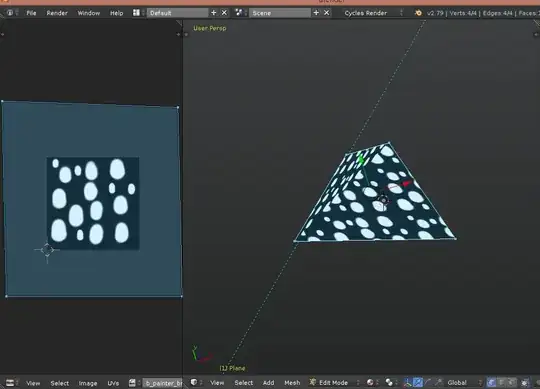
I'm brand new to texturing and fairly new to blender. I can get the texture to appear on the model but it looks like only part of the image is actually on the face I assigned it to. Basically the face has about a fourth of the texture on it. It also looks like there's some folds in the face, or a slight bend, but I can't figure out why as there are no edges in it... See pictures for "with bend / crease" and "without".
My question is, how do I get the texture itself to display itself fully on the face, instead of the way it is now?
 With Crease, The Model Itself
 Without Crease, The Texture Itself, No Model

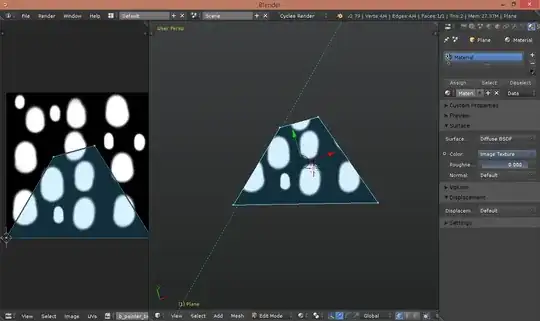 EDIT: in order to see the uv map, you need to select the vertices in the viewport while in edit mode or select this option:
 Then select one or all of the vertices in the UV/image editor and move/scale.