0

Greyscale gorilla recently released this pack of textures for lights: https://greyscalegorilla.com/downloads/hdri-area-light-maps/

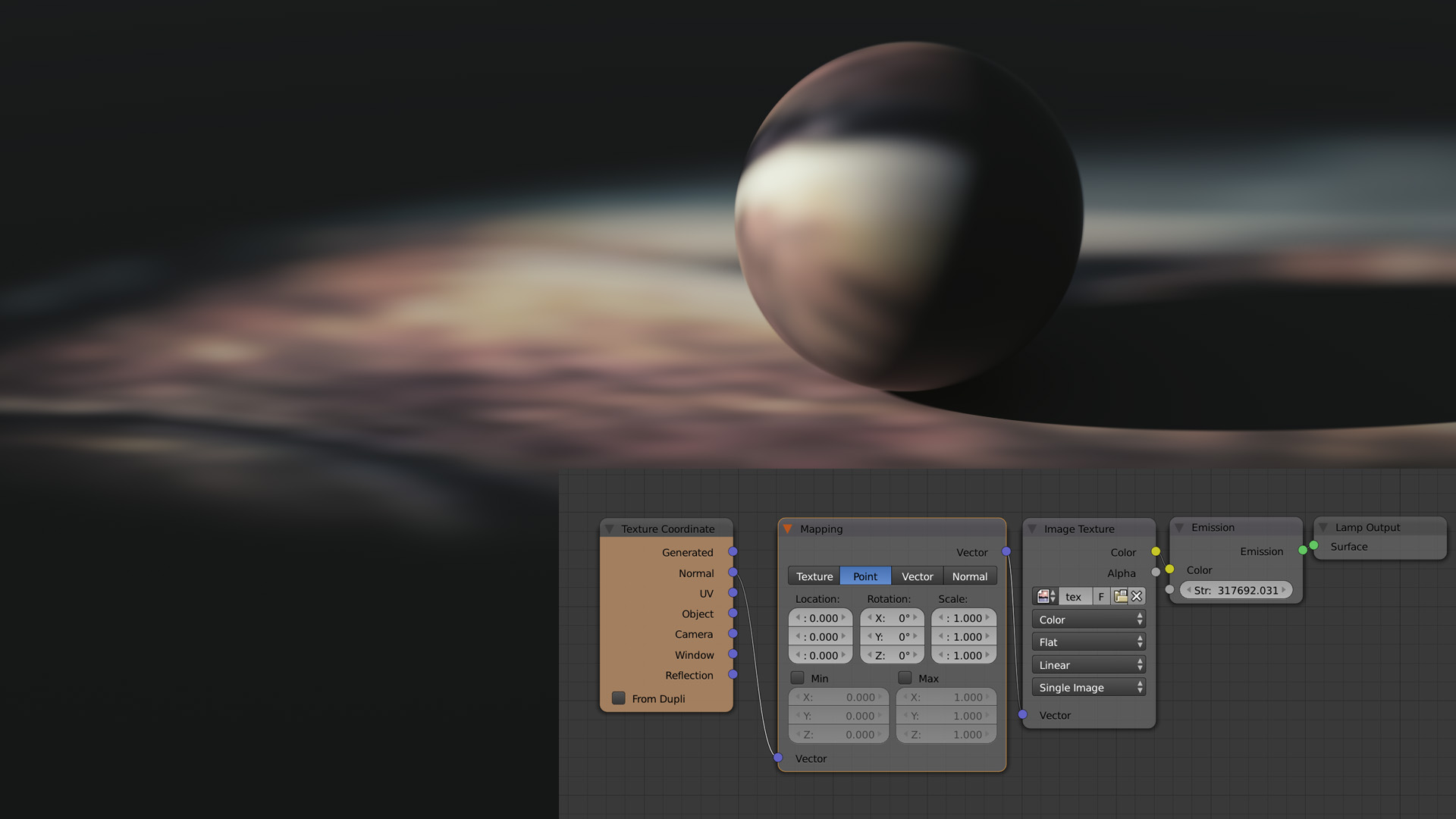
I'm trying to figure out how to use these in cycles. Would I pick an area light and use this node set up?

https://www.creativeshrimp.com/wp-content/uploads/2014/12/texture_02.jpg

Or would I just import them as a texture on a plane with an emission shader?

I know both would get me results - but I'm trying to determine the correct way to use them.

Shotty
  • 259
  • 1
  • 11
  • Probably neither. With HDRI you usually want an Environment texture...see: https://blender.stackexchange.com/questions/81007/how-can-i-render-an-object-with-an-hdr-background – Dale Cieslak May 23 '19 at 02:17
  • 1
    If you use an area lamp you won't see the texture in the background, so I think you would have to use image planes. It will be a bit of a pain if the images have different aspect ratios, as you would then need to Import Images as Planes (using that Add On) for each one in order to avoid distortion, i.e. you couldn't just change the image on an existing plane. – edna May 23 '19 at 03:26
  • Please use the [edit] link at the bottom of your question (https://i.stack.imgur.com/lXFuK.png) and use the tools from this site to upload images so that they are displayed as part of your question. See How to upload an image to a post? –  May 23 '19 at 16:35

0 Answers0