11

I seem to have screwed up something that allows you to inset evenly, I think I have tried every combination of settings in inset and pivot center and even is far from even. I tried uninstalling and re installing blender 2.71 and get the same result. The image attached is a simple default cube that I tried to inset evenly. I have also attached the blend file link help??
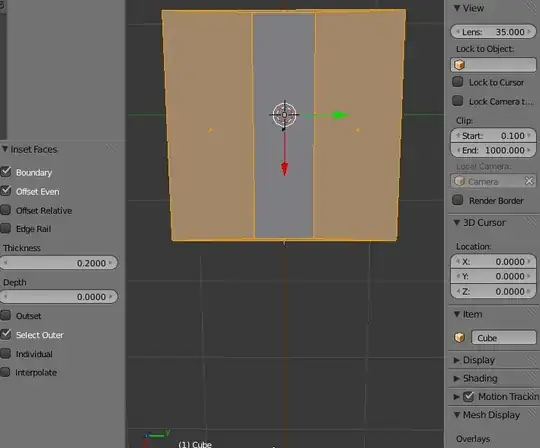
inset uneven

Blend file here.

Ray Mairlot
  • 29,192
  • 11
  • 103
  • 125
Jaelyn
  • 111
  • 1
  • 1
  • 4
  • 1
    You need to 'Apply Scale'. See this question: http://blender.stackexchange.com/questions/7298/why-is-it-important-to-apply-transformation – Ray Mairlot Aug 09 '14 at 18:52
  • Thank you so much Ray, I tell folks to remember to apply scale all the time, but hadn't thought to check that the default cube had scale applied. – Jaelyn Aug 09 '14 at 18:58
  • Related: http://blender.stackexchange.com/q/12288/599 – gandalf3 Aug 09 '14 at 20:58

1 Answers1

13

Your insets are distorted based on object scale. To fix this, you will need to apply your object's scale(Ctrl-A>Scale).

GiantCowFilms
  • 18,710
  • 10
  • 76
  • 138