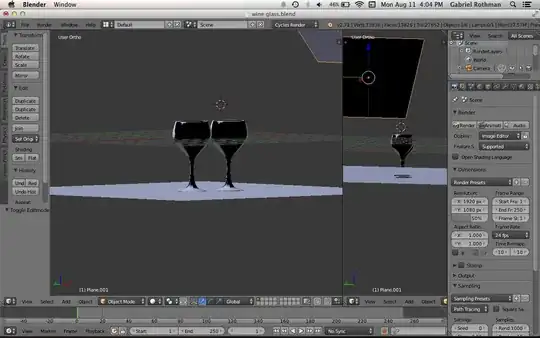
I made a scene of two wine glasses on a flat surface, with an overhead light source. For some reason, when I'm viewing the objects as solids, there are strange shading artifacts that appear on all the objects. The planes do not always show the issue; you can see on the perspective on the left, the overhead plane looks normal, but in the perspective on the right it's entirely black (side note, it's an emission plane). These shadows do not appear in other object viewing modes (wire frame, materials). I'm running Blender 2.71 on a MacBook Pro with OSX Mavericks. This is my home computer, and at my work computer, which runs Windows XP, I don't have this issue ever. I'm very new to Blender, so it may be a simple fix, but I don't understand the program enough to understand what's happening and where to look to make the fix. Any suggestions would be greatly appreciated!