2

I want to be able to create a silhouette edge from a chosen point on any given mesh. Essentially, the silhouette edge is a 3D curve made up of points on the mesh whose tangent planes intersect with a chosen perspective point. I'm not just looking for a silhouette to surround the mesh from all perspectives. I want to be able to create a silhouette edge from one perspective, and then look at the curve created from the previous viewpoint in different viewpoints.

This is a demonstration of what it would look like with a cube. The silhouette edge take from perspective A:

enter image description here

This is the same silhouette edge viewed from a different perspective B:

enter image description here

2 Answers2

1

The easierst way to do this is using a Grease Pencil object. Here is my proposal in Blender 3.3 how to do this in a few steps:

https://youtu.be/isZ31C1NYtQ

enter image description here

Christoph Werner
  • 1,965
  • 1
  • 14
  • 31
0

You can have a silhouette edge using freestyle

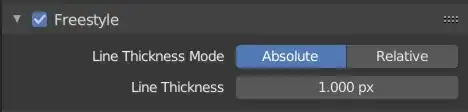
First you need to enable Freestyle in Properties Editor > Render tab > Freestyle panel:

freestyle panel

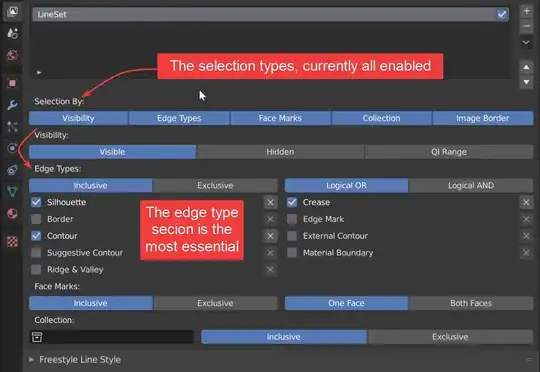
In Properties Editor > Layer tab > Freestyle line set panel, you can choose how the line is formed. I.E. you can set it to display silhouette only:

line set

More about it: A guide to Blender freestyle rendering with Eevee and Cycles

L0Lock
  • 15,965
  • 1
  • 20
  • 44