3

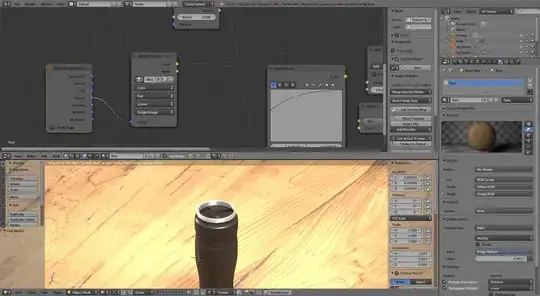
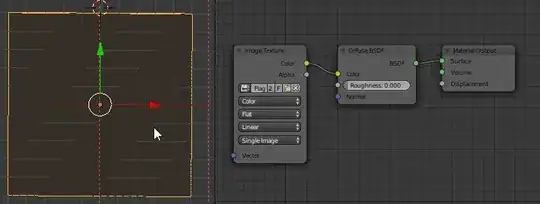
I've created a wood floor material using an image texture node, I'm happy with how it is displayed in the material preview.

However when I apply the material to any object, in this case the 'wood_floor', the shader seems to only apply a single color to the object rather than the textured material I've created.

Here is the blend file.
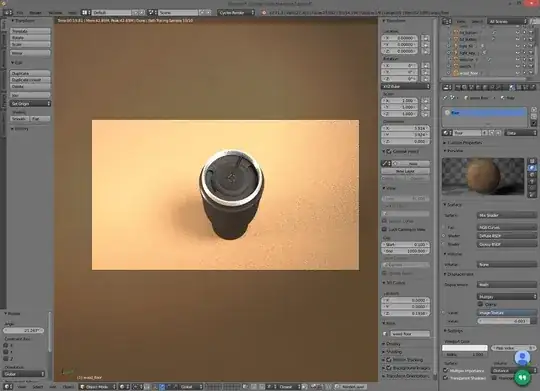
workspace

What is causing this effect and how can I get the material to apply to the entire floor object?

Reustonium
  • 133
  • 1
  • 5

2 Answers2

4

You have a texture but blender can't guess what coordinates to use for the texture mapping. To fix try this: In your wood floor object a texture coordinate node. Connect the object coordinates to the vector connector on your image texture node.

enter image description here

2

You need to UV Unwrap your mesh. You can do this by going into Edit Mode, selecting all vertices, and pressing U > Unwrap. You do not need to change your material at all, UV Maps are applied to all image textures by default.

unwrap Mesh

For more in-depth explanation of the process go visit the wiki article

J Sargent
  • 19,269
  • 9
  • 79
  • 131