The link below is a screenshot of an older version of Blender. How can I create a spiral, turn it into a mesh, and control the thickness of the beginning and end of the mesh to something like in the screenshot in 4.0?
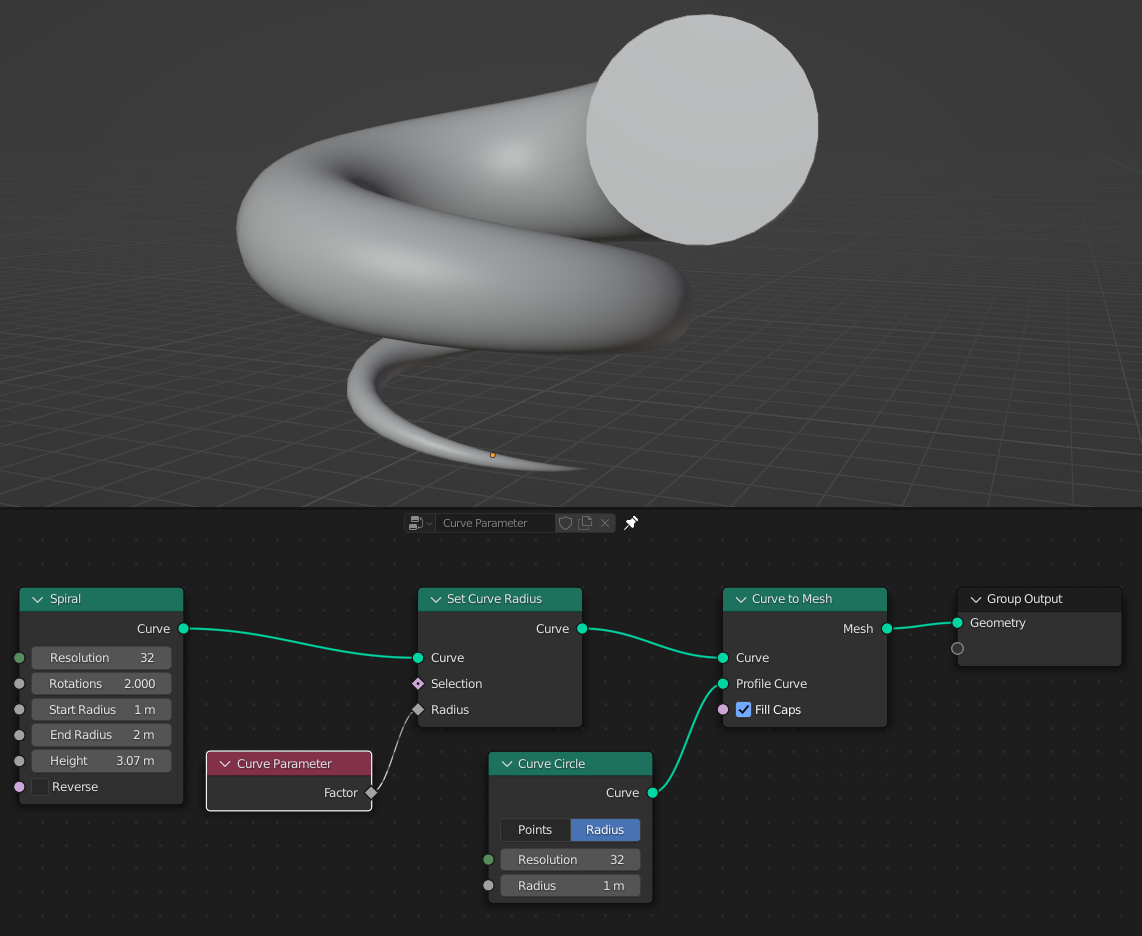

The link below is a screenshot of an older version of Blender. How can I create a spiral, turn it into a mesh, and control the thickness of the beginning and end of the mesh to something like in the screenshot in 4.0?


Exactly the same apart from the Curve Parameter which is now Spline Parameter. By the way this could have easily been found if you just entered "para" in the Add menu search because it is the only result having "Parameter" in it.

