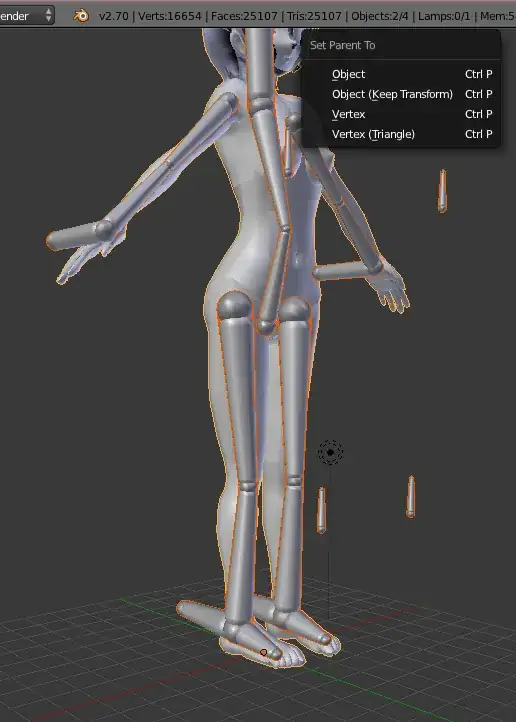
I've been following this tutorial here and around 10:16 he presses CtrP to set the parent to armature with automatic weights. When I try to follow I don't get that same menu. I've checked that I'm in the correct mode and the correct objects are highlighted. What am I doing wrong?
Asked
Active
Viewed 1.1k times
2


3 Answers
7
Select the object and the armature in this order; mesh, then armature. The armature must be the active object to get the options you are looking for. You have the mesh as the active object.
(lighter orange color is the active object)

0
If you are trying to parent your armature to a curve, it wont work. At first you have to convert the curve to a mesh.
For that select the curve in Object Mode, Object (at the top left) > Convert > Mesh.
Now your curve isn't a curve any more, and you are able to parent it to the armature by automatic weights.

Duarte Farrajota Ramos
- 59,425
- 39
- 130
- 187

-1
I found that problem too and what I would do is select the armature first then select the mesh second, so both should be highlighted/selected now. Then press ctrl P and you should get the same menu that you saw in the video
(this had me stumped too)

CraftyMaelyss
- 681
- 4
- 14
- 39