Bake indirectly to custom property
If you add a custom property, in this case on the cube, give it a keyframe, Note make sure to set the maximum to more than 1 when defining the custom property

Bake your sound to custom prop.

Drive a value with the custom property. Here I'm driving z scale of the cube

Can type a driver expression straight into property box. Initially a hash # signifies it to be a driver.
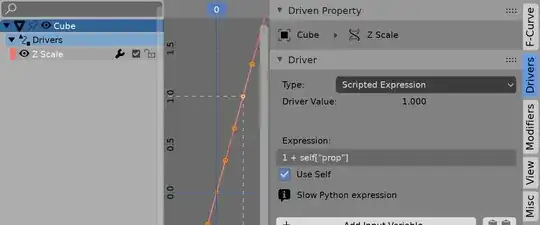
In 2.79, switch graph editor to drivers mode.
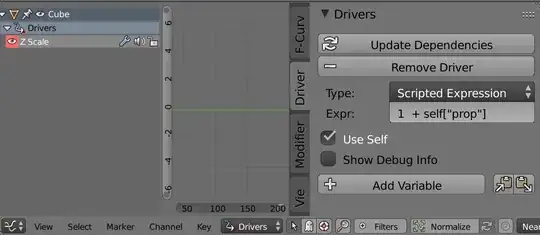
Because I used the same object that has the custom property as the one who's scale I wish to drive I can use self in drivers. Note since use self is not default, have to set this manually, and will need to update dependencies, since without use self, it doesn't know itself
The driver expression is
1 + self["prop"]
returning a minimum of one when the bake is zero.
Can amplify, etc
1 + 20 * self["prop"]
Or to make things more interesting. add two more custom properties.
self["min"] + self["amp"] * self["prop"]
allowing the animation of the minimum the amplification.
If you know the maximum of the fcurve can use a generator or an envelope to adjust.
What's the range of values on a sound-baked f-curve?
How can you invert an F-Curve
Please Note, the now-defunct sound drivers addon was my first addon project. I have it way back on the back burner, and am replacing it with a third party module aubio version. Check out the site, baking sound is much quicker with aubio


