Even though I'm not new at 3d art, I'm a beginner at blender, so please excuse my lack of knowledge.
I recently got around ripping models from a game called Identity V, but the problem is: I don't know how to apply the normal maps and other maps I don't even know what they are.
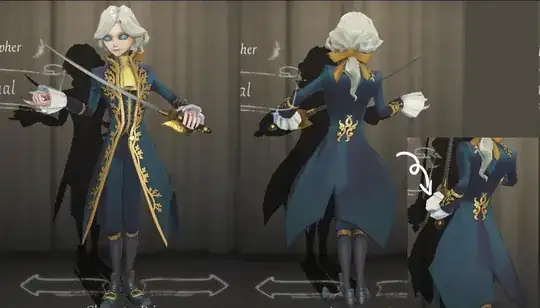
This is how the model looks in game (detail to how the fabric seems kinda velvety, from the way it changes colors as he moves)
And this is how the model looks in Blender on the Material Preview, only with its textures.

Finally, here are all the textures and maps I could recognize as his. I still have the other images NinjaRipper extracted, if needed.

I know this is a really beginner question but I would appreciate a lot if someone could help me.
EDIT (? How do I even do this): This question helped me with applying the Normal and Roughness map (on the picture, body alpha smth.png) but didn't with the other maps, since there are no answers about how each map looks like.
