29

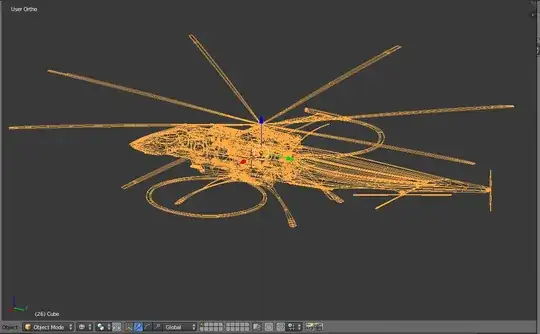
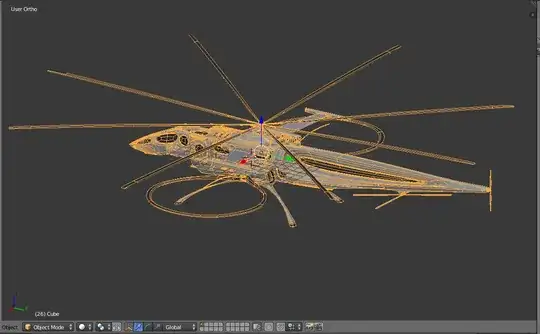
I sometimes like to view my models in wireframe mode, but it doesn't show individual faces, only lines representing the general formation of the object. With subdivisions (especially) this does not achieve what I'd really like to see, which is more of a "blueprint" look.

Solid view:

enter image description here

Wireframe:

enter image description here

What I want (except this is solid):

enter image description here

What I want (except, this is edit mode, not an actual drawmode):
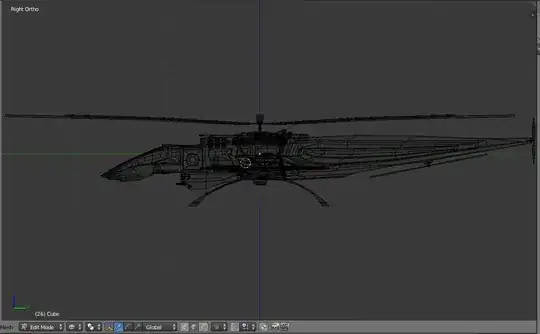
enter image description here

Is there a draw mode that can achieve this?

P.S.: I don't mind if the answer uses Python. I'm not a Python programmer but I'd be able to understand the code (I've got programming experience and have used Python on and off before).

3 Answers3

45

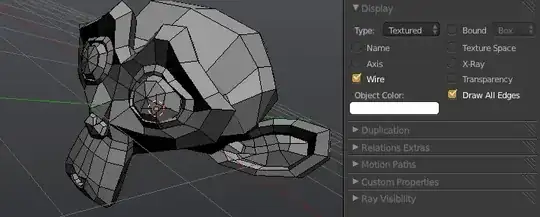
If I understand your question right, then you just need to enable Draw All Edges and Wire under the Object properties.

All Edges Wire Display

Wire draws all edges in the mesh that are not coplanar (edges not lying on the same mathematical plane). Draw All Edges draws these coplanar edges in wire display and wireframe mode.

Italic_
  • 1,563
  • 1
  • 9
  • 20
Jonathan Williamson
  • 6,426
  • 2
  • 32
  • 42
1

If none of the solutions worked for anyone still ( in the newer versions ), I was able to turn on the edges in object mode in the following properties section :

Properties region -> Object Properties -> Viewport Display -> Show : Wireframe

Which gives the following look in the Object Mode.

enter image description here

Suhas
  • 168
  • 1
  • 10
0

When you work with many objects you can select all objects and then press "alt" when you check the "wire" button. Then, all objects are solid + wire. Or install the very usefull addon Amaranth: http://pablovazquez.org/amaranth/