1

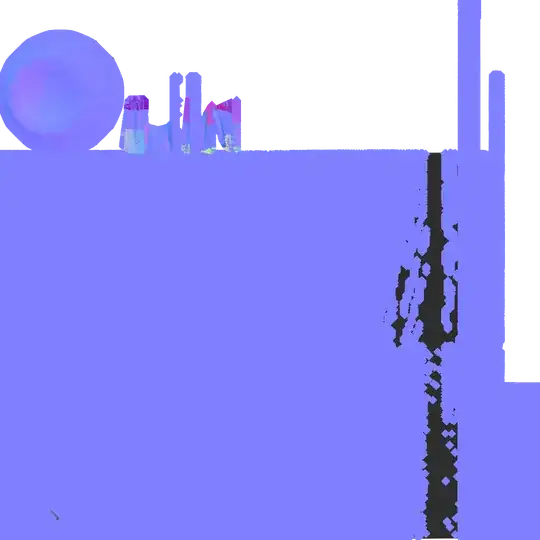
So I've been battling with the Cycles Render, trying to bake normal and ambient occlusion maps for each object I have created. However, I have been receiving the following results: Normal map Ambient occlusion map
I have been baking the high- and low- poly objects within the same coordinates, selecting the High and then Low objects in order. This has been done in 2.73a of Blender, in case that also needs to be known.

  • Looks to me like you have overlapping faces or UVs, which is causing z-fighting. See http://blender.stackexchange.com/q/5441/599 – gandalf3 Mar 02 '15 at 00:16
  • Here's a look at the model and the first UV channel I have made for it (I have a second that has .008 padding between each face.) http://i.imgur.com/ZBv1xDJ.png I have this feeling now that I've built this and other models in a method that I shouldn't have. – warezIbanez Mar 02 '15 at 00:55
  • As a test you might try unwrapping with U > smart UV project or lightmap pack to quickly get a map without any overlaps (I'm not sure if yours does from the screenshot). Note this will overwrite your UV's so you might want to test this on a new UV map. See http://blender.stackexchange.com/q/24398/599 – gandalf3 Mar 02 '15 at 01:04
  • there is a problem with alpha, try creating a new image without alpha (uncheck) then bake. – Bithur Mar 02 '15 at 02:15
  • @galdalf3 Unfortunately, I got this after adjusting Pack Islands to .02 on the first UV Map (.04 on the second map for a Lightmap:) http://i.imgur.com/YkbWoSq.png – warezIbanez Mar 02 '15 at 04:15
  • @Bithur Now I am receiving a "circular dependency for image 'image.png' from object 'Screen'" – warezIbanez Mar 02 '15 at 04:24
  • 'circular dependency' means that are trying to bake to a texture that is also being used as input for the Material. You shouldn't try to write to data if it's already being used. – MarcClintDion Mar 02 '15 at 08:46
  • The images you posted in comments here definitely look like z-fighting to me as well. It appears as if you have duplicated a second model onto the first. If this happened in Edit mode it would be harder to notice there are two overlapping models. – MarcClintDion Mar 02 '15 at 08:48
  • http://i.imgur.com/JeSdre7.png @MarcClintDion Every time I try to bake a texture, it switches the texture in the UV Editor from one that I newly created to the one I have selected on my material, which then brings up the circular dependency error. Also, I duplicated the original model from Object Mode. – warezIbanez Mar 02 '15 at 19:03
  • Here's progress: http://i.imgur.com/polTh4R.png I threw one of the objects in another layer, and the AO turned out well. Still need to take care of the Normal map. – warezIbanez Mar 02 '15 at 21:53
  • The UV Editor has nothing to do with assigning or selecting the bake-to texture when using Cycles (only Blender Internal relies on that). It's the active Material Texture node that determines what texture is baked to. I posted some info on baking here a while ago. http://blender.stackexchange.com/questions/24048/create-a-low-poly-mesh-with-high-detailed-textures/24083#24083 – MarcClintDion Mar 03 '15 at 05:40

1 Answers1

1

So Gandalf3 did have the answer, although I did not understand the previous topic he had posted. What I did to solve it was move the high-polygon object into another Layer. As I also had multiple materials for the object to be exported into a certain game engine, I had to remove one material before being able to bake the maps in question.