3

I'm trying to make an odd effect similar to a video game where things off in the distance aren't drawn, but aren't chopped off completely - they blend into the background instead. So it's sort of like a fog or mist, but one that only applies to objects and not the background.

The closest I've come to making this work is by using two separate RenderLayers - one that's only the background with a mist pass, and one that's all the objects. Unfortunately, this leads to a "ghost" effect: the objects are semi-transparent over the background. Additionally, it doesn't work with non-white objects.

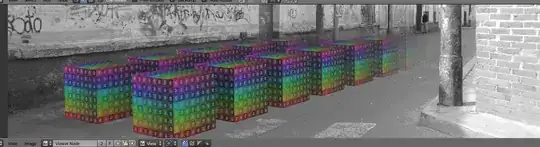
Results of my attempt

Is there anything I can do?

Cambertian
  • 33
  • 4
  • 2
    Use a render pass instead of a new layer altogether, for the background. – someonewithpc Mar 06 '15 at 20:40
  • what color do you want for your fog.. should it match the background? also could you post your composting node setup? – GiantCowFilms Mar 06 '15 at 20:56
  • Use the level of detail function...it should be capable of what your trying to do. http://www.blendernation.com/2014/03/21/quick-demo-blender-2-70-level-of-detail/ –  Mar 06 '15 at 21:13
  • Please do not use link only answers, as links can break. You can just summarize what was covered there, and use the link as an optional further in-depth reference. All answers/questions should be able to stand by themselves. – J Sargent Mar 06 '15 at 21:26
  • While this link may answer the question, it is better to include the essential parts of the answer here and provide the link for reference. Link-only answers can become invalid if the linked page changes. –  Mar 07 '15 at 00:05

1 Answers1

1

With a single render layer, enable a mist pass.

enter image description here

Then in the compositor use the mist value and a color ramp a factor to mix the background.

enter image description here

enter image description here