I want to make the black portion in my model transparent so that inside face can be slightly visible. How can i do this?

I want to make the black portion in my model transparent so that inside face can be slightly visible. How can i do this?


In CYCLES select the mesh you want to be transparent. Go to the Object header and check the Transparency box.

Go to the Material header, add a new material and decrease the Alpha value in the Settings panel as pictured below.
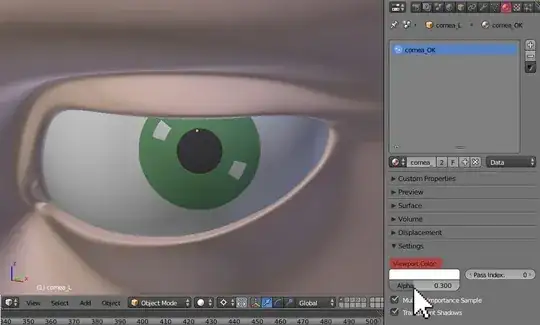
You may also change the color of transparency.

In BLENDER INTERNAL do the same things in Object header as shown above. Next go to the Material header, check the Transparency box and decrease the Alpha value in Transparency panel.

If your model is one solid mesh (does not consist of many loose meshes) you may add a transparent material to any part of it (any faces) you like.
Create the transparent material (using methods I've shown above) and assign it to the desired faces.

Here's the result.


With very little information provided, I think you simply need to drop the Alpha on the black Material. If you want complete transparency, and those faces aren't essential, you could just delete them.
