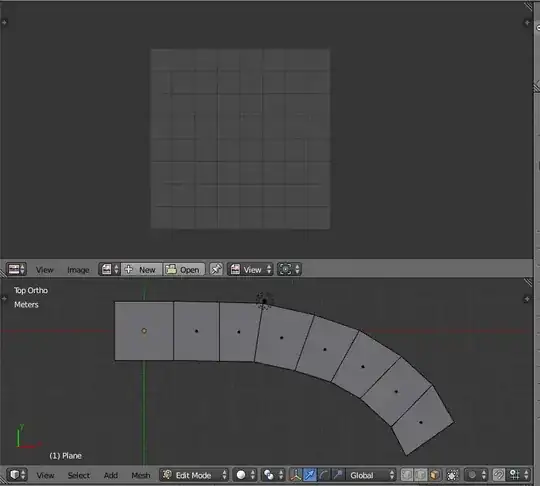
I need to texture the mesh trying to add a UV map to it first. Clicking "Follow active Quads" has no effect whatsoever in the UV/image editor. Using Blender v2.71 and cannot figure out the problem here I tried many times and made new files but nothing is giving a response in the UV editor.
I did everything exactly as in this tutorial https://www.youtube.com/watch?v=MVh2KG01Qtk
I need to texture the mesh trying to add a UV map to it first. Clicking "Follow active Quads" has no effect whatsoever in the UV/image editor. Using Blender v2.71 and cannot figure out the problem here I tried many times and made new files but nothing is giving a response in the UV editor.
I did everything exactly as in this tutorial https://www.youtube.com/watch?v=MVh2KG01Qtk
EDIT
 Just tried again, similar results. I opened a new file, deleted the cube, added a plane, added a nurbs curve added array modifier and curve modifier to plane, applied modifiers, this time resulting in a white plane after selecting follow active quads: