11

For my current project, I've decided to use metric units. I am trying to work at the millimeter level, but when I create a new object (Cube) it's set to a one meter scale by default. How do I tell Blender that I want the default scale for all new objects in this blend file to be set to, for instance, one centimeter?

When using the Blender units scale I didn't concern myself with this stuff, but I'm trying to be more accurate in my designs.

Daniel
  • 3,624
  • 4
  • 31
  • 59
askinner432
  • 1,065
  • 1
  • 9
  • 16

1 Answers1

8

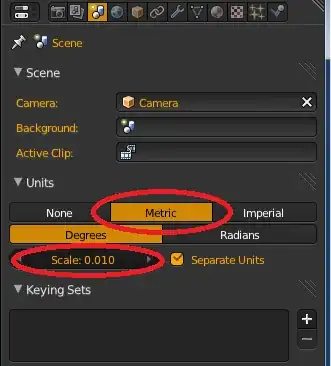
You can set units and scale in the Properties Panel

enter image description here

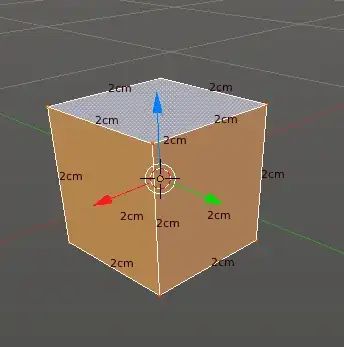
Newly added cube after scaling to .01m with Edge Info Length enabled:

enter image description here

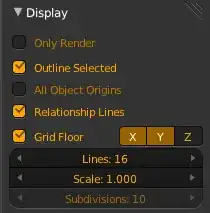
There are also a few settings in 3D-Views Properties-Panel (N) these influence only the display:

enter image description here

See also:

stacker
  • 38,549
  • 31
  • 141
  • 243
  • Thanks! That setting had escaped me. I kept looking in UserPref thinking it would be there but I guess this makes more sense – askinner432 Sep 11 '13 at 13:55