Blender manages a hidden matrix called Parent Inverse between hierarchically organized objects.
From the docs
Blender can assign a parent without moving the child object. This is achieved via a hidden matrix called the Parent Inverse matrix, which sits between the transform of the parent and the child.
and
When objects are parented with Ctrl-P, Parent Inverse matrix is updated.
The docs also contains an important note (emphasis mine):
When setting the parent via the Object Properties panel, the Parent Inverse matrix is always reset. This can cause an unexpected jump in the object’s position. To avoid this, use Ctrl-P to set the new parent.
In screenshot 1 i parented parent > child > grandchild with Ctrl+P (the grandchild is 3 units up from the child). One can see that the parent inverse matrices for parented objects are not the identity matrix. More specifically, they are the inverse of their parent's world matrix.
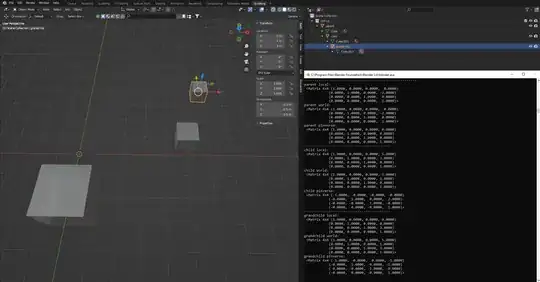
Screenshot 2: the same scene top view with Object Properties > Relations > Parent usage (the parented objects jumped around). Like in the docs described, all parent inverse matrices are the identity. Note that all the world matrices in the first screenshot equal the local matrices in the second.

In the first screenshot the objects stay visually in place when parenting with the help of the parent inverse correction. In the second screenshot, the global transforms of the objects (before parenting) just become the local transforms (no correction applied).
Note that both Ctrl+P options Object and Object (Keep Transform) do not reset the parent inverse matrix (thus they are still different actions than setting the parent through Object Properties > Relations > Parent), they differ only in whether the old parent transform should be applied to the child before re-parented or not (The latter is more intuitive, it visually just changes the parent relationship, the former can also have "unexpected jumps" because the influence of the old parent is taken away from the child).
Side note: the Sidebar > Item > Transform shows for example for the grandchild always $5,1,3$ which in the first case looks like the world location and in the second like the local location, but its always showing grandchild.matrix_local @ grandchild.matrix_parent_inverse.inverted. The docs say:
The object’s origin location in local coordinates.
I guess that was hard to explain xD
TL;DR: When parenting, decide if you want to keep the visuals or just concatenate local transforms.


