The Boolean modifier will have the desired result if each face is considered to be a separate object. The steps are:
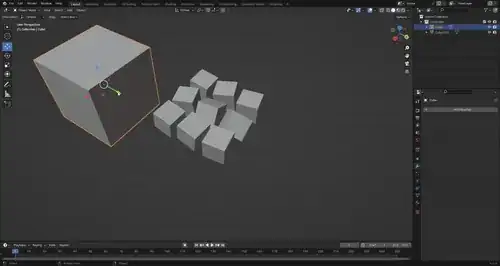
Apply the Boolean modifier
Select the main object, add a Boolean modifier with the Difference setting, select the Object as the cutting object, select just the cutting object, press H to hide the cutting object.
Separate the object into individual faces
Select the main object, press Tab to enter Edit Mode, press A to select all, press Alt + M and chose Faces by Edges to separate the individual faces. Press P and click By Loose Parts to make everything separate objects. Press Tab to exit Edit Mode, go to the menu Object > Convert > Mesh to convert the modifier to a mesh. Manually delete any faces the Boolean operator messed up on.
Join the faces back into one object
Select all the loose faces, press Ctrl + J to join them, press Tab to enter Edit Mode, press Ato select all, click Mesh > Cleanup > Merge by Distance to merge them into one object again.


P> Selection and that is all for the second step. That's also less duplicate vertices in the end that need to be merged (although this does not really matter). – Gordon Brinkmann Mar 04 '24 at 09:54