Updated
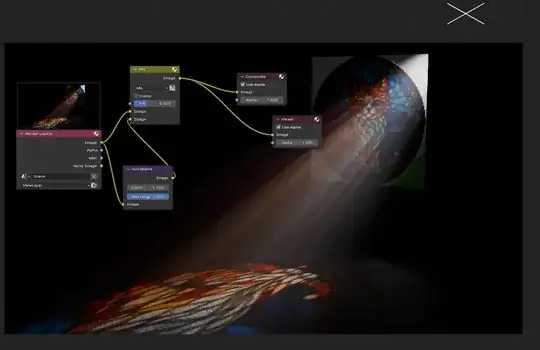
I think you are trying to achieve an effect like a stained glass window casting light on a wall.
1)Make the mist volume cube enclose the entire scene and enable mist in render passes, as you have done.
2)Turn up a spotlight to a large intensity, for example 10,000. Dial it down afterwards.
3)It is useful to use a principled volume and lower the density and increase the Anistropy value. The base color can be changed to white.

4)To get a color result- we can switch to Cycles.
5)In the window glass material, the effect is very amplified by plugging an image texture directly into a transparent BDSF node. If the chain is image texture+transparentBDSF+material output, you will see the effect very strongly.

6)An additional suggestion: Add a solidify modifier to the window and see if this affects your scene.
Other Considerations
From there you can refine the glass material by adding a light path node as the moderator indicated, or a fresnel.

You can experiment with shadow caustics on both the light and the
objects, or light paths.
You can add geometry nodes set up on the volume, in order to split
the rays, and parent it to the light source.
The effect can be further exaggerated in compositing with "sunbeam"
effect, which can add to the detail as well.


Thanks! :)
– Matthieu O. Mar 12 '24 at 14:09