7

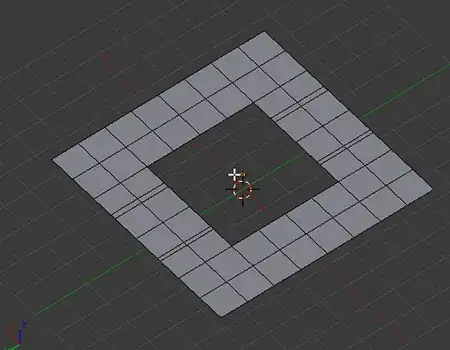
I have a mesh that forms a plane with loop cuts running in both directions. Part of this area is cut out and I need to fill it back up, maintaining the loop cuts in both directions. Is there an automated way of doing this? If not, what's the easiest method?
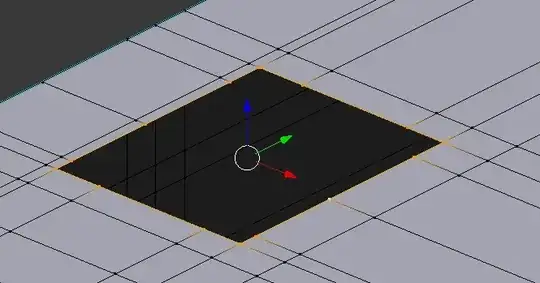
Screenshot of mesh

Keavon
  • 8,003
  • 17
  • 48
  • 84
  • @NoviceInDisguise I don't think this is really a duplicate of that, this question is asking how to do it specifically while maintaining the loop cuts across the filled area. – PGmath Jun 17 '15 at 17:54
  • This is not a duplicate. That was weird geometry in that question. This is specifically a grid fill (now that I know its name). I have nominated their for reopening. – Keavon Jun 17 '15 at 20:06
  • @Keavon I'm marking it as a duplicate because its basically asking the same thing and the other question has more info. – iKlsR Jun 20 '15 at 14:16
  • @iKlsR Ah, yes, this is a duplicate of that. Previously it was marked as a duplicate of a different question which it was not a duplicate of, but the one it's now a duplicate of is similar. – Keavon Jun 20 '15 at 19:03

1 Answers1

9

Because the number of vertices are matching on opposite sides you can do Ctrl+F> Grid Fill:

enter image description here

Also found in Mesh> Faces> Grid Fill from the header menu in the 3D view.

Ray Mairlot
  • 29,192
  • 11
  • 103
  • 125
  • Wow! Useful trick! I don't know why but it works properly for me only if I select the two opposite edges (like with 'Bridge Edge Loops' tool) and then press CTRL+F-->Grid Fill. When I select the whole edge loop it merges the edges in a strange way. – Paul Gonet Jun 17 '15 at 15:34
  • 1
    As long as the number of opposite edges are equal it should work. If it doesn't you can play around with the 'offset' option. – Ray Mairlot Jun 17 '15 at 15:36
  • 1
    @Gonzou Try playing with the offset option in the F6 menu. – PGmath Jun 17 '15 at 22:04