8

If you make a plane and move two vertices on opposite corners, you will have a non-planar face. This will be rendered with an "invisible" edge along either of the opposite pair of vertices. Or in other words, the face will be triangulated by picking two opposite vertices.

In 3ds max, there's an option to actually edit this triangulation so that you can decide how it's rendered. This is done without creating any edges, it's just the face's triangulation that's edited. This way you can keep topology in quads while still controlling triangulation:
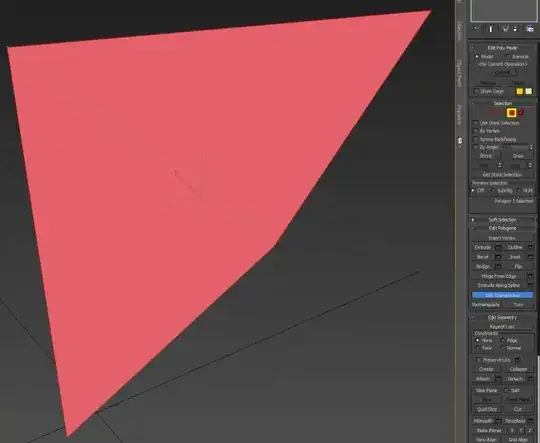
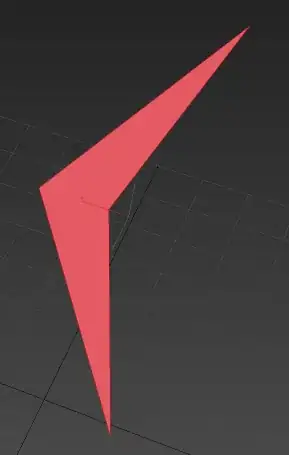
3ds max before 3ds max after

In blender, I see no other option than to manually add edges, disrupting the topology:

blender 1 blender 2

So, is it possible to edit the triangulation in Blender, without modifying topology?

iKlsR
  • 43,379
  • 12
  • 156
  • 189
David S.
  • 1,572
  • 1
  • 16
  • 19

3 Answers3

12

Triangulation can't be controlled directly, it's not even done by Blender in object mode. Instead, it is left to the graphics driver to decide how to triangulate non-planar quads (which differs among drivers for different cards). Behavior may even change with VBO enabled or disabled.

Viewport and Modifier Triangulation Differences

You can use the triangulation modifier to get a bit of control with the beauty option, to divide across the shortest diagonal:

Triangulation Modifier Beauty-option

CodeManX
  • 29,298
  • 3
  • 89
  • 128
  • Too bad it can't be controlled directly, but I can definitely live with modifying to shortest diagonal. Thanks. – David S. Nov 24 '13 at 00:55
  • 1
    Note that in upcoming 2.70 new options will be available (different triangulation methods for quad and ngon): http://wiki.blender.org/index.php/Doc:2.6/Manual/Modifiers/Generate/Triangulate – CodeManX Dec 10 '13 at 00:07
2

There is now an operator which swaps the tessellation direction. Flip Quad Tessellation

GroveDG
  • 21
  • 1
0

There is a work around to do this

Step 1: to visualise them you will have to plug a wireframe node into the base colour input on a material. This will show you all the edges even the hidden ones.

Step 2: (this is not perfect but works) Delete a face you want to change the triangulation on, select one of the quads border edges and use F on the keyboard to fill it back in, this is where it gets a little tricky, depending on the edge selected it will predetermine what angle the triangulation will use, so you might need to try a few times to get the right one.

BenM
  • 1
  • 3