5

Everytime I am doing one thing another problem comes up, and I have a deadline to follow unless there is a way to create shadows using another software (after effects)? I want to composite this thing in after effects but I cannot do something simple like a shadows pass. I followed the shadows pass tutorials but of course nothing works. Here is my node setup:

as the backdrop shows, there is only black

enter image description here

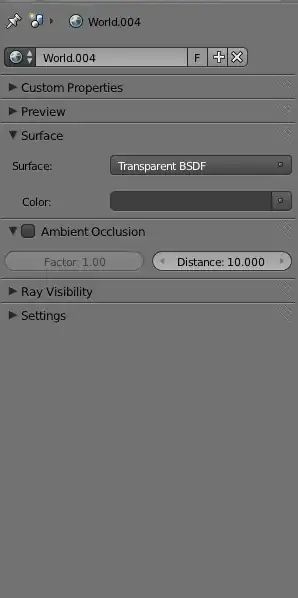
here are other settings

enter image description here

enter image description here

Is there anything I am doing wrong?

an update to my node setup:
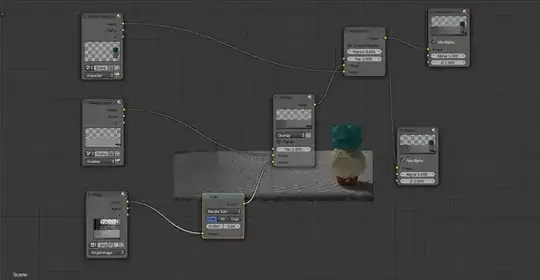
enter image description here

David
  • 49,291
  • 38
  • 159
  • 317
user2883800
  • 305
  • 4
  • 8

1 Answers1

5

Here is a simple example for using Shadow pass in your case:

enter image description here

I personally prefer combining shadow with other passes like AO, for better result.

Leon Cheung
  • 27,718
  • 11
  • 89
  • 161
  • it still didn't work. I see the background but not the character and the shadow. – user2883800 Nov 24 '13 at 23:45
  • @user2883800 Would you like to share with the .blend file? You needn't pack all source data, but should be with same settings. – Leon Cheung Nov 25 '13 at 03:05
  • it worked. I needed to ad an extra node that was used in another tutorial. I just placed it on there randomly and the shadow appeared. thank you. – user2883800 Nov 25 '13 at 04:01
  • 4
    Please help future users by telling us what node you added and where you put it. (If you just randomly put it somewhere and it worked, then it was probably a viewer node, which is not required for the final compositing). – Matt Nov 26 '13 at 22:57
  • I used the image scale node and connected to the image node. – user2883800 Nov 30 '13 at 16:25