This setup seems like it should work, but it doesn't.
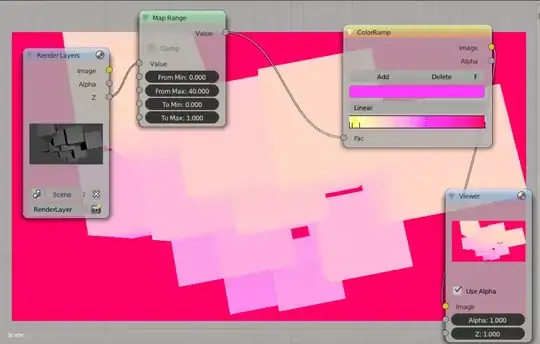
and another, more tunable.
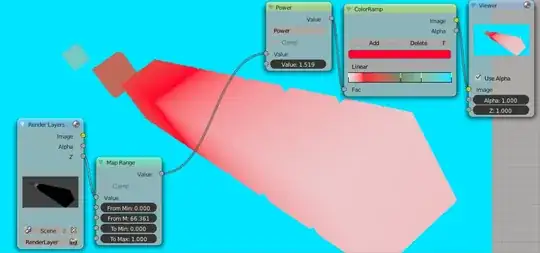
the Z-buffer isn't really an image but a grid of distance values mapped from camera clipping start, and end (these settings are found in the Camera Object properties tab).
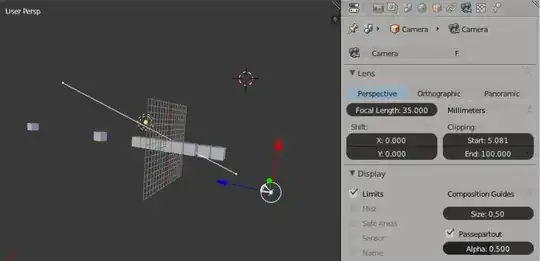
Use the limits tickbox to visualize the clipping start and clipping end range, (also called near and far clipping planes). Generally keep all your geometry in that range and you will be using the Z-Buffer like a boss.
PS: instead of the Map Range node, you can use the Normalize node and you won't have to set the range values, it will find the lowest/highest values in the Z-buffer and map them to 0...1 range

The value outputted by the z pass is in absolute units, going from zero to however far the objects in the scene are. Thus it goes over the color ramp's range of values, and gives out the value that maps to full 1 in the ramp.
You can fix this by adding a normalize node before the color ramp, or by multiplying it by some small value with a math node. The normalize scales the range from the smallest value to the largest to map into the 0-1 range, so the results of all objects change if you animate the furthest or closest object. A math node does not have that limitation and thus works better with animated scenes.


