7

I have written an algorithm that can compute fingering of piano scores.

Now I would like to have a 3D animation of a pair of hands playing this score. Each finger is already assigned to a key.

How could I use blender api for this. If it is possible at all?

Daniel
  • 3,624
  • 4
  • 31
  • 59
dorien
  • 171
  • 4
  • Can you elaborate some more. How do you envision this workflow to go? Should it be all automatic (maybe the best if you plan to animate long or many scores). Is it ok if there are some manual steps? – Gunslinger Dec 07 '13 at 21:47
  • There should not be any manual steps. So basically, it should be able to operate command line. Input a musicXml with fingering information -> output animation – dorien Dec 07 '13 at 21:55
  • 3
    @dorien Have a look at the python API reference – gandalf3 Dec 08 '13 at 01:30
  • Seems to me this would be ideal for the game engine. – iKlsR Dec 11 '13 at 17:45
  • @dorien Had you any problems to adapt the script below? – stacker Dec 13 '13 at 09:33
  • I was looking for something more specific for piano fingerings. As it would require a lot of rules to make the hand move correctly. If I have time I might give it a show. – dorien Dec 15 '13 at 12:11

1 Answers1

7

Here is a very basic example of what you're trying to achieve:

A control file holds some data in the format Frame-no obj_name,value of 'Key 1' I have only created 2 shape keys (basic and 'Key 1') to test the script.

1 Finger1,1
1 Finger2,1
1 Finger3,1
1 Finger4,1
10 Finger1,.5
20 Finger2,.5
30 Finger3,.5
40 Finger4,.5
50 Finger1,1

The python script reads the control file and adds keyframes for each line

import bpy

filename='C:\\dev\\finger_shape.txt'

for line in open(filename):
    line=line.rstrip("\n")
    # Only append lines that have space in them.
    if line.find(" ") != -1 and line.find("#") == -1:
        # Split non comment lines of the format: Frame-no obj_name:value of 'Key 1'
        frame,obj_key= line.split(" ")
        obj,value=obj_key.split(",")        
        bpy.context.scene.frame_set( int( frame ))
        bpy.context.scene.objects.active = bpy.data.objects[ obj ]
        bpy.context.object.data.shape_keys.key_blocks['Key 1'].value = float(value)
        bpy.context.object.data.shape_keys.key_blocks['Key 1'].keyframe_insert('value')

Result:
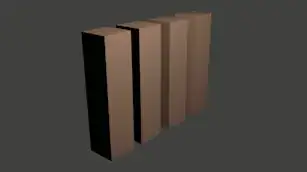
enter image description here

Regarding you comments on automatise the rendering you might find these posts interesting:

Parsing XML is not blender related but you should find examaples on SO:

stacker
  • 38,549
  • 31
  • 141
  • 243