I'm using a sky texture for environmental lightning. It gets rendered as background when I do that. Can I prevent it from rendering, but still use it for environmental lightning?
Asked
Active
Viewed 1.3k times
10


-
1Related, Can Blender render pngs with the background transparent?. – iKlsR Dec 22 '13 at 22:22
2 Answers
6
Blender Internal:
Method 1:
You could disable Sky in Properties > Render Layers > Layer:

With Sky enabled:

With Sky disabled:

Method 2:
Another way is to set the Alpha to Transparent in Render settings > Shading:
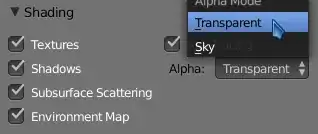
This will give the same result as disabling Sky in Render layers > Layers.
Cycles:
For cycles you could set the Film to Transparent in Render settings > Film:

With Transparent disabled:

With Transparent enabled:


4
Cycles
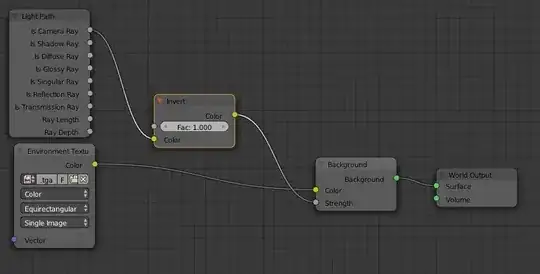
In Cycles can do that by using the Light Path node set to Is Camera Ray (You have to invert it otherwise it renders without affecting the lighting of the scene. The inverse of what you want.):
Blender Internal
In Blender internal, you have to set the alpha to the sky, then you can put anything you want into the background. To render the sky as alpha:
- Under the Shading tab of the Render panel, set alpha to Transparent.
- Under the Output tab of the Render panel, set Output to PNG with RGBA
- Render.
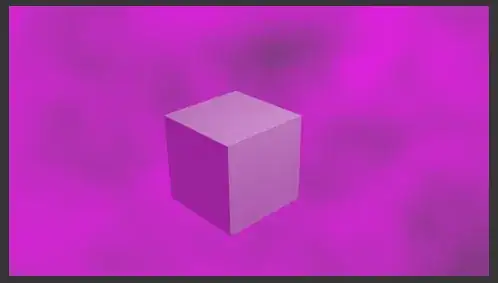
In the compositor, use the Mix node to add a background color/image:
 .
.
Before:
After:
