I'm making a tutorial, after a little work of strip I would like to speed up the video the seconds seems last longer (maybe because I've use video of different qualities) so I would like to increase the velocity at which the video is played even at a velocity greater than the original one.
Asked
Active
Viewed 1.8k times


1 Answers
22
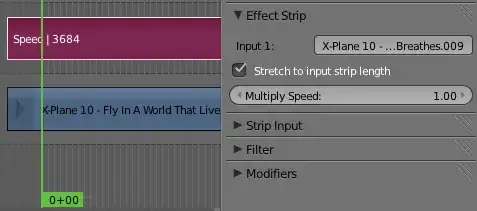
You can do this by adding a Speed Control effect strip to the selected strip.

There are two methods for controlling the speed:


Leon Cheung
- 27,718
- 11
- 89
- 161
-
Another +1 Thanks for the help today! but how can apply it to the whole project seems I can't use it in more then 3 scene together... – G M Feb 19 '14 at 18:09
-
3You are welcome. Remember the trick in my last answer? Ctrl G to make them as a meta strip. Meta strip can be treated like normal strip, too. :) – Leon Cheung Feb 19 '14 at 18:21
-
This is so confusing, so much that I opened a bug https://developer.blender.org/T71800 – Steren Nov 23 '19 at 01:14