I would like to flatten a torus so that it looks more like this:

I have already tried playing with the basic torus parameters but without success.
How can I do this?
I would like to flatten a torus so that it looks more like this:
I have already tried playing with the basic torus parameters but without success.
How can I do this?


I assume you want a band with some thickness, like this:
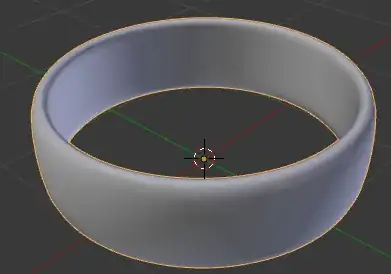
There are obviously many ways to make such a shape. Here are a couple:
Add torus
Scale on the Z (SZ)
Optionally enter edit mode (Tab) and scale along the normals with AltS

Add a circle (ShiftA> Mesh > Circle)
Extrude (E) into a band shape
Add subsurf modifier (Ctrl1-5, where the number refers to the number of viewport subdivisions)
Optionally add loopcuts to flatten some sides of the band

Other interactive way to do this is using a curve as a Bevel Object on a circle.
Create a Circle by pressing shifta and choose curve->circle


Enter edit mode and create the profile you want by deforming the circle on the x axis.


Exit edit mode and create a new circle.
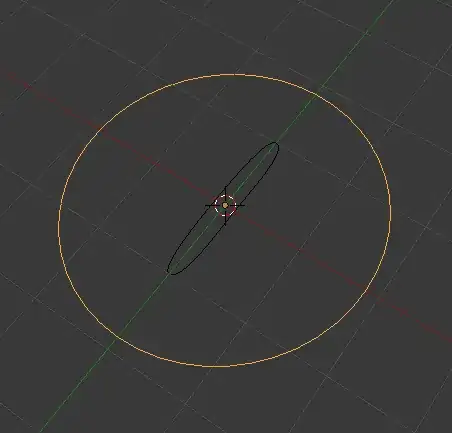
In the properties tab for the curve assign the 1st circle as Bevel Object.

If the shape is not what you want, you can readjust the first curve in edit mode.


