3

I have the following code:

frames = Import["myvideo.avi",{"Frames",{50,60,70}}];

This imports frames 1,2, and 3 of the video, not 50,60 and 70. It imports the first N frames, where N is the length of list of frames given. Is this expected behaviour?

( I tried the same with a .mov file, same result )

Thanks.

Dr. belisarius
  • 115,881
  • 13
  • 203
  • 453
Cuboid
  • 1,421
  • 11
  • 15
  • 1
    Perhaps it would help if you upload (a part of your) AVI and also specify your mma and OS version. – Ajasja Sep 14 '12 at 14:29
  • Send an email about this to support@wolfram.com. It's possible that other people may have had this issue, in which case they will know about any workarounds for it. – Searke Sep 14 '12 at 14:33
  • Will do. No need to upload my avi, I tested it on MMA's 'clip.mov' in their ExampleData - same problem. Thanks. – Cuboid Sep 14 '12 at 14:40
  • This might be of some value: http://mathematica.stackexchange.com/questions/161/importing-videos-in-mathematica – Sjoerd C. de Vries Sep 19 '12 at 21:36

2 Answers2

2

I had a similar problem with .mov files and I contacted Wolfram support about it. This is what they told me:

The inability to properly specify the Imported frames from a Quicktime video is related to a (high priority) known issue in Mathematica. Luckily, our developers have created a hotfix for this issue that should resolve this problem. I have attached a file named QuickTime.mx.

I can't attach the file, nor do I know if I am allowed to share it. You should contact support and get it from them.

0xFE
  • 1,038
  • 7
  • 19
0

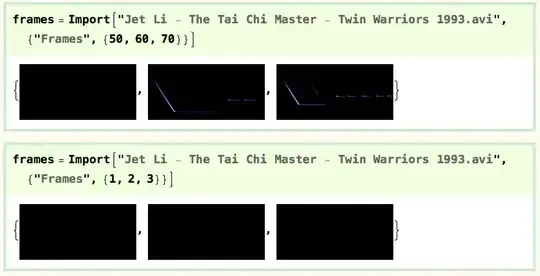
I can't reproduce your problem here (MacOS X, Mathematica 8).

import

I can import either frames 50, 60, and 70, or frames 1, 2, and 3. (The title sequence isn't the best part to sample, but the frames are obviously different.)

I've found support for different movie formats patchy, so it may be something to do with your files...

cormullion
  • 24,243
  • 4
  • 64
  • 133