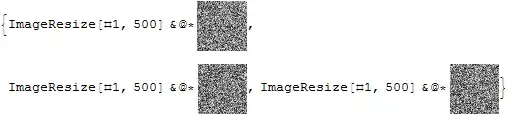
& has a very low operator precedence, in particular it's lower than @*'s precedence. That means that the right-hand & is actually defining an unnamed function with the body:
ImageResize[#, 500] & @* ColorConvert[#, "Grayscale"]
You can fix this by wrapping the right-hand function in parentheses:
ImageResize[#, 500] & @* (ColorConvert[#, "Grayscale"] &) /@ piclist
Or both of them for consistency:
(ImageResize[#, 500] &) @* (ColorConvert[#, "Grayscale"] &) /@ piclist
Of course, as you mentioned in a comment, that doesn't help much compared with
(ImageResize[#, 500] &) /@ (ColorConvert[#, "Grayscale"] &) /@ piclist
If you want to avoid the parentheses altogether, you could still define a pure function via the Function, but of course, that's even less terse, and technically you've just replaced parentheses with square brackets:
Function[ImageResize[#, 500]] @* Function[ColorConvert[#, "Grayscale"]] /@ piclist
You can also use the full form of @* instead:
Composition[ImageResize[#, 500] &, ColorConvert[#, "Grayscale"] &] /@ piclist
Alternatively, you could apply both transformations in a single function:
ImageResize[ColorConvert[#, "Grayscale"], 500] & /@ piclist
Or use infix notation for a nicer reading order:
# ~ColorConvert~ "Grayscale" ~ImageResize~ 500 & /@ piclist


Composition[ImageResize[#,500]&,ColorConvert[#,"Grayscale"]&]/@picListto aviod the bracket – yode Mar 29 '16 at 12:25