4

I have to do an activity with students in a laboratory where only Mathematica 5.2 is available .

I would to do some animations, but in 5.2, from what I understand, I should select the series of graphics produced by Animation, or by some other means, and type Ctrl-Y.

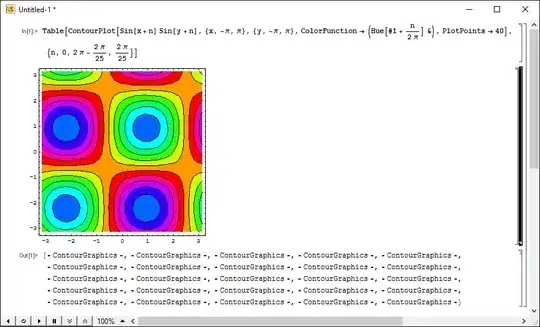
Is there some way to automate this process to obtain an animation similar to what is available in later versions of Mathematica?

bbgodfrey
  • 61,439
  • 17
  • 89
  • 156
enzotib
  • 1,094
  • 7
  • 20

3 Answers3

8

I don't have version 5.2, and this type of animation no longer works properly in version 9, which is the oldest version I have installed. So what I show below is only an untested starting point for something more robust. I hope it will be helpful.

animate[frames_] := Module[{},
  Scan[Show, frames];
  SelectionMove[EvaluationNotebook[], Previous, CellGroup];
  FrontEndTokenExecute["OpenCloseGroup"];
  FrontEndTokenExecute["SelectionAnimate"]
]

frames must be a list of graphics, e.g.

frames = Table[
   Graphics[{Circle[{0, 0}, 1], Circle[{Cos[x], Sin[x]}, 1]}, 
    PlotRange -> {{-2, 2}, {-2, 2}}, AspectRatio -> 1], {x, 0, 2 Pi, 2 Pi/20}];

animate[frames]

As I remember in v5.2 Show caused the graphics to be rendered into a new cell, but I may be wrong ... in v6 and later this would be Print, which I used to test this (sort of, my notebook display gets corrupted when I try it in v9/v10 ...)

Jens
  • 97,245
  • 7
  • 213
  • 499
Szabolcs
  • 234,956
  • 30
  • 623
  • 1,263
5

What I did back in the day instead of explicitly loading Graphics`Animation`​ was to use either of Table[] or Do[], depending on whether I was interested in further exporting the animation to a GIF or not. Since graphics in old Mathematica was a side effect (hence the need for the old DisplayFunction gymnastics), one merely collapsed the set of pictures thus produced, and then double-clicked on the cell group if one wants to see the animation.

Thankfully, this machine I'm using has 5.2, so I can show an example:

an animation in 5.2

Notice the six tiny buttons in the lower left? Those controls show up after double-clicking the group of graphics cells. Most people now might not be able to guess what the second button did: it allowed one to run the animation forwards first, as usual, and then backwards. Nowadays one now has to do something like ListAnimate[Join[#, Reverse[Most[#]]] & @ list] for this.

J. M.'s missing motivation
  • 124,525
  • 11
  • 401
  • 574
  • 1
    There's a button on an Animator to toggle play direction. Clicking it three times gives for "forwards-then-backwards" if I remember it correctly. Presumably that corresponds to an Animate option. – b3m2a1 Aug 29 '17 at 00:06
1

In his book "The Mathematica Guidebook for Graphics", which was written at the time of Mathematica 5, Michael Trott gives a lot of examples of animations. His technique was to create a separate notebook for each animation and to launch the notebook with :

FrontEndExecute[{
      FrontEnd`NotebookLocate[
   FrontEnd`FileName[{"Animations"}, "2_1_TreeOfPythagoras.nb"]]}]

This assumes that the target notebook is "./Animations/2_1_TreeOfPythagoras.nb"

This code of Trott his hided in the style of the some buttons that permit to a user to launch the animation.

I have not tested this code

andre314
  • 18,474
  • 1
  • 36
  • 69