This question asks about making gravatars in Mathematica, but the accepted answer is just a wrapper around the gravatar.com service.
Is there an open source Mathematica engine that performs the actual hash to graphics?
This question asks about making gravatars in Mathematica, but the accepted answer is just a wrapper around the gravatar.com service.
Is there an open source Mathematica engine that performs the actual hash to graphics?

While I don't know the exact details on how Gravatar generates identicons, the following might give you a something suitable.
Generally speaking, identicons are generated by hashing the user data and then creating a graphic based on the hash. A common technique is to cycle through and turn pixels on or off based on whether the value of a digit in the hash is even or odd. Here the color is also based on the values in the hash, and also I imposed a certain kind of symmetry based on the hash as well. (I am quite sure this code can be made more aesthetically pleasing):
identiconPixels[id_String] :=
 Module[{hash, color, orient, cells, tm, q},
  hash = IntegerDigits[Hash[id, "MD5"], 8, 36];
  color = RGBColor[hash[[1 ;; 3]]/7];
  orient = If[OddQ[hash[[4]]], {Left, Bottom}, {Bottom, Left}];
  cells =
   MapIndexed[If[OddQ[#1], color, White] &, Partition[hash, 6], {2}];
  q = Image[cells];
  Magnify[
   ImageAssemble[{{q,
      ImageReflect[q, orient[[1]]]}, {ImageReflect[q, orient[[2]]],
      ImageReflect[ImageReflect[q, Top], Left]}}], 4]
  ]
The Magnification here is to make the identicon larger to see the details.
identiconPixels["user@email.com"]
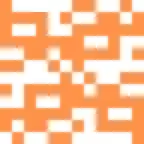
identiconPixels["user10@email.com"]

The same idea can generate avatars that are bit more visually interesting if instead of using pixels we use cells in a mesh:
identiconCells[id_String, size_] :=
 Module[{hash, color, orient, cells, tm, q},
  hash = IntegerDigits[Hash[id, "MD5"], 8, 36];
  color = RGBColor[hash[[1 ;; 3]]/7];
  orient =
   If[OddQ[hash[[4]]], {ReflectionMatrix[{1, 0}],
     ReflectionMatrix[{0, 1}]}, {RotationTransform[Pi/2],
     RotationTransform[3 Pi/2]}];
  cells = MapIndexed[If[OddQ[#1], {2, #2[[1]]}, Nothing] &, hash];
  tm = TriangulateMesh[
    BoundaryMeshRegion[{{0, 0}, {1, 0}, {1, 1}, {0, 1}},
     Line[{1, 2, 3, 4, 1}]], MaxCellMeasure -> 1/26,
    MeshQualityGoal -> 1];
  q = MeshPrimitives[tm, cells];
  Graphics[{color, EdgeForm[color], q,
    Translate[GeometricTransformation[q, orient[[1]]], {2, 0}],
    Translate[
     GeometricTransformation[q, RotationTransform[Pi]], {2, 0}],
    Translate[GeometricTransformation[q, orient[[2]]], {0, 0}]},
   ImageSize -> size]
  ]
There is a bit of a 'magic' number with MaxCellMeasure which yields a square broken in 36 cells.
identiconCells["user@email.com",128]

identiconCells["user6@email.com", 64]


identiconCells- on my system the diagonals look ragged. 2 Can you explicitly parametrize identicon size? – alancalvitti May 02 '16 at 20:42