I recently implemented a native Mathematica decoder for the encoded Google polyline strings returned during a request to its API. This uses Compile and I found it faster than the above J/Link based solution. I guess it could have been even faster if we could compile the BitShiftLeft and BitShiftRight. But I guess these two functions are pretty optimized in Mathematica. My compiled version for these two functions were slower so decided to stick with the built-ins.
The decoder:
Clear[Com];
Com = Compile[ {{barray, _Integer, 1}},
   Module[ {index = 1, lat = 0, lang = 0, latlng = {{0., 0.}}, b,
     shift, result, dlat, bRight},
    While[index <=  Length@barray,
     b = shift = result = 0;
     b = -63 + barray[[index++]];
     result = BitXor[result, BitShiftLeft[BitAnd[b, 31], shift]];
     shift += 5;
     While[b >= 32,
      b = -63 + barray[[index++]];
      result = BitXor[result, BitShiftLeft[BitAnd[b, 31], shift]];
      shift += 5;];
     bRight = BitShiftRight[result, 1];
     lat += If[BitAnd[result, 1] > 0, BitNot[bRight], bRight];
     shift = result = 0;
     b = -63 + barray[[index++]];
     result = BitXor[result, BitShiftLeft[BitAnd[b, 31], shift]];
     shift += 5;
     While[b >= 32,
      b = -63 + barray[[index++]];
      result = BitXor[result, BitShiftLeft[BitAnd[b, 31], shift]];
      shift += 5;];
     bRight = BitShiftRight[result, 1];
     lang += If[BitAnd[result, 1] > 0, BitNot[bRight], bRight];
     AppendTo[latlng, {lang*10.^-5, lat*10.^-5}];
     ]; latlng], RuntimeOptions -> "Speed", CompilationTarget -> "C",
   RuntimeAttributes -> {Listable}
         , CompilationOptions -> {"ExpressionOptimization" -> True}
   ];
MathematicaDecode[encoded_?StringQ] := Block[{barray},
   barray = ToCharacterCode@encoded;
   (Rest@Com[barray])
   ];
Utility Function:
Lets take a route connecting several cities given as a list.
route2 = {"Vienna,Austria", "Erlangen,Germany","Nurnberg,Germany","Heilbronn,Germany",
"Heidelberg,Germany", "Mannheim,Germany","Ludwigshafen,Germany", "Berlin,Germany"};
Here is a function that takes routes like above as input and forms the API request URL and do a respective data fetch from Google. For free users the map API serves up to 11-13 way-points requests in one single call.
UrlData[route_?(VectorQ[#, StringQ] &)] /; (2 <=  Length@route < 11) :=
   Block[{WaypointSeperatorPosition, url, urlData, encoded},
   WaypointSeperatorPosition =
    Transpose@{1 + Range[-2 + Length@route]};
   url = "http://maps.googleapis.com/maps/api/directions/json" <>
     "?origin=" <> First@route <>
     "&destination=" <> Last@route <>
     "&waypoints=" <>
     StringJoin[Most@Insert[route[[2 ;; -2]], "|", WaypointSeperatorPosition]] <>
   "&sensor=false&mode=driving&units=metric";
   URLFetch[url]
   ];
Testing:
Now we can test our decoder to extract the longitude and latitude pairs of each points that constitute the Google polyline.
dat = UrlData[route2];
strings=(Flatten@(
ImportString[dat,{"JSON","Data","routes",1,"legs",All,"steps",All,"polyline","points"}]));
res = MathematicaDecode[#] & /@strings; // AbsoluteTiming
{2.685532, Null}
The J/Link version
res1 = With[{pointString = #},
      decoded = polylineDecoder@decode[pointString];
      pts = {#@getLng[], #@getLat[]} & /@ decoded@toArray[];
      pts] & /@ strings; // AbsoluteTiming
{9.156631, Null}
Both the results agree with each other.
Norm@(Chop@(Flatten[res1, 1] - Flatten[res, 1]))
0
Visualize:
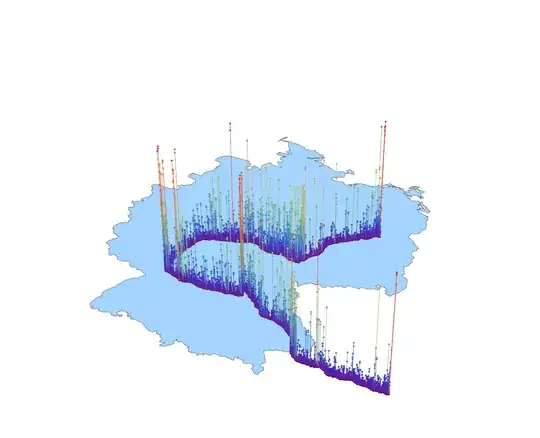
Here goes the route from Vienna to Berlin. With all the points on the polygon one could compute the road curvature/bending at each subsequent stretches on the polyline.


GeoPointclass, and I have no idea where to get it. Lastly, Mark McClure has Mathematica code to do perform the decoding, so you could use his – rcollyer Oct 04 '12 at 04:15