One could override the setting for each polygon group (or GraphicsGroup[]):
cp /. p_Polygon :> {Lighting -> {{"Ambient", White}}, p}
cp /. gg_GraphicsGroup :> {Lighting -> {{"Ambient", White}}, gg}

Update: Addendum.
While Lighting shows up in Options@ChromaticityPlot3D, it is not listed among the options in the docs for ChromaticityPlot3D.
However, it inherits the setting for Lighting from ParametricPlot3D before it is embedded as styling in the graphics primitives: If the setting is not Automatic, then ChromaticityPlot3D won't override it.
With[{opts = Options[ParametricPlot3D]},
 Internal`WithLocalSettings[
  SetOptions[ParametricPlot3D, Lighting -> {{"Ambient", White}}],
  ChromaticityPlot3D[{"WideGamutRGB", "sRGB"}],
  SetOptions[ParametricPlot3D, opts]
  ]
 ]
(* same plot as above *)
See this answer or this one for more on Internal`WithLocalSettings. In this case one might simply handle things oneself as follows:
  SetOptions[ParametricPlot3D, Lighting -> {{"Ambient", White}}];
  ChromaticityPlot3D[{"WideGamutRGB", "sRGB"}]
  SetOptions[ParametricPlot3D, Lighting -> Automatic];

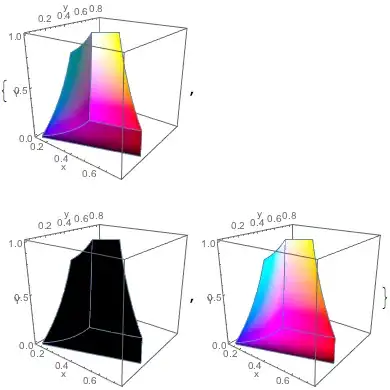


Lighting -> "Neutral"is the default. Why is it not suitable for you? – J. M.'s missing motivation Jul 19 '16 at 18:21Lighting -> none, as to be able to see different views of the surface (projections) as you would in a typical 2D plot, with a uniform / normalized lightness. The darkening of the colours makes it very difficult to see the chromaticity. – ddd Jul 19 '16 at 18:29"Neutral"corresponds to using white lights in a few places, and some of those places are not lit (maybe that's what you're bothered by)?Lighting -> Nonewill not help, because... what do you expect to see without lights? ;) – J. M.'s missing motivation Jul 19 '16 at 18:36