15

This question is an extension of Passing down arguments.

To help clarify my question, I will be referring to another recent post of mine Making Quartile Plots from a Dataset, the code to which can be found here.

Context

It is clear that arguments can be passed down as demonstrated in both the documentation and in @Szabolcs answer to Passing down arguments by using passedToOption -> OptionValue[<option>].

Although verbose it works fine when one needs to only pass one or two options. However this convention is too verbose and cluttering to write clear code when one must pass a lot of options.

Consider Mathematica's many Plot functions and the numerous options available. While the defaults are nice, if one is making a custom plotting function, such as in Making Quartile Plots from a Dataset, one may prefer different options those chosen by Wolfram. Further, to maintain the flexibility of the original Plot function, all the options must be defined in the Options of the function - Wolfram's defaults and my own.

In the linked code above, one can see why this would be useful, especially for the BinnedQuartilePlot and the host of color functions that pass their options down several functions.

Question

Is there a concise way to pass, from one function to another, all Options of the encapsulating function - both the defaults and those explicitly set?

Code

f[x_] := x^2
Options[myPlot] := {"PlotRange" -> Full, "PlotStyle" -> "Pastel", "Filling" -> "Axis"}
myPlot[function_, OptionsPattern[]] :=
 Plot[function[x], {x, 1, 5},
  PlotRange -> OptionValue["PlotRange"],
  PlotStyle -> OptionValue["PlotStyle"],
  Filling -> OptionValue["Filling"]]
SumNeuron
  • 5,422
  • 19
  • 51

2 Answers2

21

Let us assume that you are designing a function which can take its own unique options, but also shares option names with Plot. What is the best way to implement such a function myPlot? Below I will try to give a complete guide on how to do this.

There are two common approaches:

  1. The default values for Plot-specific options will be taken directly from Plot. Changing Plot options with SetOptions also affects myPlot. It is not possible to use SetOptions on myPlot with Plot-specific options. This is only possible with options unique to myPlot.

  2. myPlot has its own copy of Plot's options. Changing Plot's options does not affect myPlot. Any of these options can be changed directly on myPlot using SetOptions.

Most builtin functions use approach (2).

For the following, it is good to be aware that when an option is specified multiple times, Mathematica always takes the first value.

Inheriting defaults from Plot

Here's how to implement approach (1). We start by setting the defaults of myPlot's unique options:

Options[myPlot] = { Top -> 10 };

myPlot[f_, opt : OptionsPattern[{myPlot, Plot}]] := 
  Plot[f[x], {x, 0, OptionValue[Top]}, 
    Evaluate@FilterRules[{opt}, Options[Plot]]
  ]

Here, the purpose of specifying Plot within OptionsPattern was to avoid error messages when using options that are present in Options[Plot] but not in Options[myPlot].

An additional effect is that now you can use OptionValue with Plot-specific options. We do not need this in this specific implementation. However, specifying Plot within OptionsPattern is still necessary to avoid errors.

Using Evaluate before FilterRule was necessary because Plot is HoldAll.

If you put this function in a package, at some point you may want to add syntax information to it. Like this:

SyntaxInformation[myPlot] = {"ArgumentsPattern" -> {_, OptionsPattern[]}}

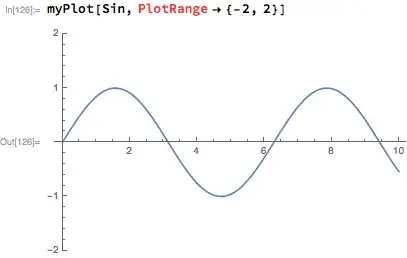
But now we run into a problem. Plot-specific options work, but they are coloured in red, as if they were incorrect.
Mathematica graphics

The workaround is using an undocumented entry in SyntaxInformation, "OptionNames":

SyntaxInformation[
   myPlot] = {"ArgumentsPattern" -> {_, OptionsPattern[]}, 
   "OptionNames" -> Union[First /@ Options[myPlot], First /@ Options[Plot]]};

Separate defaults for myPlot and Plot

This is the more common approach, and this is what builtins use.

We start by setting myPlot's unique options, as well as copying over Plot's options. Here, we do not change Plot's defaults.

Options[myPlot] = Join[
   {Top -> 10}
   Options[Plot]
  ];

Now we are ready to change some Plot-specific options from their default values:

SetOptions[myPlot, {PlotRange -> All, PlotStyle -> Red}];

Now we can define myPlot:

myPlot[f_, opt : OptionsPattern[]] := 
 Plot[f[x], {x, 0, OptionValue[Top]}, 
    Evaluate@FilterRules[Join[{opt}, Options[myPlot]], Options[Plot]]
 ]

We no longer need to list function names in OptionsPattern[]. But now we need to pass down all options, as set either in opt or in Options[myPlot] to the Plot function. We can simply Join all of them together, relying on the fact that when duplicates are present, the value will be taken from the first occurrence.

Now the SyntaxInformation can be simpler:

SyntaxInformation[myPlot] = {"ArgumentsPattern" -> {_, OptionsPattern[]}}

The allowed option names will be taken from Options[myPlot].


Finally, you can also mix these two approaches. You can have only a subset of Plot's options present in Options[myPlot]. I do not recommend that you do this because it can be confusing to users. Either put all of them in there (the more common approach), or none of them at all.

Szabolcs
  • 234,956
  • 30
  • 623
  • 1,263
  • Can I ask a few newbie questions? what is opt : OptionsPattern[] syntax? What about about FilterRules in general? – SumNeuron Mar 24 '17 at 14:57
  • 1
    opt is the pattern name. x : _ is exactly the same thing as x_ (see its FullForm). When the pattern is something else than _, you need : to give it a name. – Szabolcs Mar 24 '17 at 14:58
  • I see. Thank you. Where did you learn that? – SumNeuron Mar 24 '17 at 14:59
  • 1
    @SumNeuron I would tell you that everything is in the documentation. But inexplicably, in version 11.1 some essential tutorial links were removed from that page. If you still use 11.0, you will find them at the top. Otherwise look here: http://reference.wolfram.com/language/tutorial/PatternsOverview.html – Szabolcs Mar 24 '17 at 15:06
  • I noticed that (removal of links) as well. I just haven't seen : used before. – SumNeuron Mar 24 '17 at 15:08
  • @SumNeuron A good place to learn is still what is called the Virtual Book which links the more explicit tutorials that Szabolcs has mentioned. I have linked it for easier reference. – gwr Mar 24 '17 at 15:24
  • @SumNeuron Yes, before version 6, the documentation had an actual table of contents. In 6, that was removed, and we are expected to just search instead. It was the trend at that time: there's too much information for traditional organization, so let's use search instead, or sloppy "tagging", etc. The problem is that sometimes you do not know what to search for. If you don't know that there is :, you won't search for it. People were upset, and by popular demand a limited table of contents was added. It was called the Virtual Book and it had a toolbar button. – Szabolcs Mar 25 '17 at 10:49
  • However, it was not very well done, and (I assume) it didn't get that much use from new users. So it got removed from the toolbar in version 10.0. Now there's the page that gwr linked to, but you can't have a full overview of the ToC, you have to keep clicking on entries to see the sub-sections. So it is not very usable. It is also absolutely not discoverable. – Szabolcs Mar 25 '17 at 10:50
  • @Szabolcs I tried running this and the plot doesn't render for (Separate defaults for myPlot and Plot). – SumNeuron Mar 28 '17 at 06:38
  • @Szabolcs I think one the disadvantage of Join approach is that, if you join custom function options. It will make the order of function definition matters – matheorem Nov 20 '17 at 00:47
  • @SumNeuron lol @ "Where did you learn that?" im sure you were a noob when you asked that about 5 years ago but now as an experienced journeyman in wolfam you likely learned that nearly everything is learned sitting many long hour behind a pc often doing nothing but studying the documentation and finding that after all that you didnt learn much after all. at least that is how it was for me. – Jules Manson Apr 12 '22 at 22:16
0

Let's define functions f and g such that f calls g, and f passes its option values down to g.

We must assume that f and g can take the same options

ClearAll[f]; ClearAll[g];

Options[f] = {"a" -> True, "b" -> True}; Options[g] = Options[f];

To pass the options from f to g (defaults unless explicit options are provided, and explicit values otherwise) we construct a list of the options values for f at runtime using Thread[Rule @@ {#, OptionValue[f, #]}] &@Keys[Options[f]], like so:

f[OptionsPattern[]] := With[
  {(*The solution is this bit here:*)
   opts = Thread[Rule @@ {#, OptionValue[f, #]}] &@Keys[Options[f]]},
  g[opts]]

g[OptionsPattern[]] := OptionValue@Keys[Options[g]]

Now calling f with options "a"->"False" and "b"->"False"} passes the options to g and returns the expected result:

in[]: f["a" -> "False", "b" -> False]

out[]: {False,False}

I hope this helps!

phileasdg
  • 31
  • 3