I found what I needed in mrwizard's answer here -- Specifying non-conflicting PlotTheme options
The trick was to specify another theme just for dashing, and combine it with default Theme:
System`PlotThemeDump`resolvePlotTheme["monoDash",
  "Plot" | "ListPlot" | "ListLinePlot"] :=
 Themes`SetWeight[{"DefaultDashing" -> {AbsoluteDashing[{}],
     AbsoluteDashing[{}], AbsoluteDashing[{}],
     AbsoluteDashing[{5, 5}], AbsoluteDashing[{5, 5}],
     AbsoluteDashing[{5, 5}], AbsoluteDashing[{}],
     AbsoluteDashing[{}]}}, System`PlotThemeDump`$ComponentWeight]
System`PlotThemeDump`resolvePlotTheme["monoThick",
   "Plot" | "ListPlot" | "ListLinePlot"] :=

  Themes`SetWeight[{"DefaultThickness" -> {AbsoluteThickness[3.0],
      AbsoluteThickness[3.0], AbsoluteThickness[3.0],
      AbsoluteThickness[1.6], AbsoluteThickness[1.6],
      AbsoluteThickness[1.6], AbsoluteThickness[1.6],
      AbsoluteThickness[1.6], AbsoluteThickness[1.6]}},
   System`PlotThemeDump`$ComponentWeight];


seqLen = 100;
nSeq = 9;
seq := Accumulate[
   Table[RandomVariate[NormalDistribution[]], {seqLen}]];
seqs = Table[seq, {nSeq}];
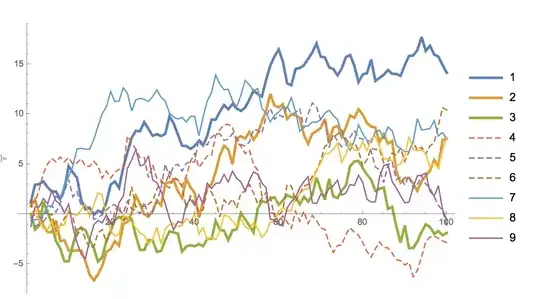
ListLinePlot[seqs, PlotLegends -> {1, 2, 3, 4, 5, 6, 7, 8, 9},
 PlotTheme -> {"monoDash", "monoThick"}]


PlotThemecomes to mind. – C. E. Apr 10 '17 at 22:47