12

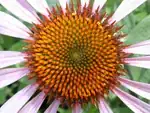
It's now possible to import photographs into Mathematica and import the EXIF data at the same time:

i = Import["ExampleData/coneflower.jpg", "ImageWithExif"]

coneflower

You can now look at all the metadata:

Options[i, MetaInformation]

{MetaInformation -> {"Exif" -> {"ImageDescription" -> " ", "Make" -> "NIKON", "Model" -> "E950", "Orientation" -> 1, "XResolution" -> 300, "YResolution" -> 300, "ResolutionUnit" -> 2, "Software" -> "Adobe Photoshop CS3 Macintosh", "DateTime" -> "2008:08:19 11:29:05", etc...

So how would I extract - say - the exposure time ("ExposureTime")? I was trying something like this:

"ExposureTime" /. Options[i, MetaInformation] ...

but I don't know enough about the structure of the stored metainformation. Can you do this without knowing that structure?

cormullion
  • 24,243
  • 4
  • 64
  • 133

4 Answers4

12

Does this do want you want?

Cases[Options[i, MetaInformation], 
 HoldPattern["ExposureTime" -> ___], Infinity]

or even simpler because it is Rules all the way down:

Cases[Options[i], HoldPattern["ExposureTime" -> ___], Infinity]
{"ExposureTime" -> 1/65}

All-in-one:

With[{wanted = "ExposureTime"}, 
  wanted /. Cases[Options[i], HoldPattern[wanted -> ___], Infinity]] //
  N
Yves Klett
  • 15,383
  • 5
  • 57
  • 124
  • Thanks, yes, that seems to work... So N[Last[Last[ Cases[Options[f], HoldPattern["ExposureTime" -> ___], Infinity]]]] is what I need?! Looks a tad clunky... – cormullion Dec 05 '12 at 15:22
  • @cormullion I´d go for a something like With[{wanted = "ExposureTime"}, wanted /. Cases[Options[i], HoldPattern[wanted -> ___], Infinity] ] // N – Yves Klett Dec 05 '12 at 15:39
  • @cormullion but yes, there ought to be something cleaner - let´s wait for better approaches – Yves Klett Dec 05 '12 at 15:48
7

Here is something based on FilterRules and using your post of Exif metadata format.

FilterRules

FilterRules["Exif" /. (MetaInformation /. Options[i, MetaInformation]), "XResolution"]

{"XResolution" -> 300}

There may be more elegant ways to extract the rules which form part of MetaInformation, I await them with interest.

This unpacks nested sets of rules:

FilterRules[ Options[i, MetaInformation] //. {_ -> z_} -> z, "XResolution"]

{"XResolution" -> 300}

OptionValue

Here is an interesting alternative which does require some knowledge of the structure of the MetaInformation but is otherwise nicely concise.

OptionValue[Options[i, MetaInformation], MetaInformation -> "Exif" -> "XResolution"]

300

image_doctor
  • 10,234
  • 23
  • 40
1

The earlier answers stopped working for Mathematica 11+. In Mathematica 10 and earlier, the MetaInformation was a nested list of rules:

$VersionNumber
i = Import["ExampleData/coneflower.jpg","ImageWithExif"];
Options[i, MetaInformation] //Short

10.3

{MetaInformation->{Exif->{ImageDescription-> ,<<37>>,SceneType->1}}}

In Mathematica 11+, the MetaInformation is now an Association. This means that the previous approaches no longer work:

$VersionNumber
 i = Import["ExampleData/coneflower.jpg","ImageWithExif"];
 Quiet @ Check[
  OptionValue[Options[i], MetaInformation -> "Exif" -> "ExposureTime"],
  $Failed
]

Cases[Options[i], HoldPattern["ExposureTime" -> ___], Infinity]

11.3

$Failed

{}

Instead, you will need to extract information from an association. If you don't know the structure of the association you can use Keys to investigate:

meta = OptionValue[Options[i], MetaInformation];
meta //Keys

{"Exif"}

Then:

meta["Exif"] //Keys

{"Make", "Model", "Orientation", "XResolution", "YResolution", "ResolutionUnit", "Software", "DateTime", "YCbCrPositioning", "ExposureTime", "FNumber", "ExposureProgram", "ISOSpeedRatings", "ExifVersion", "DateTimeOriginal", "DateTimeDigitized", "ComponentsConfiguration", "CompressedBitsPerPixel", "ExposureBiasValue", "MaxApertureValue", "MeteringMode", "LightSource", "FlashInfo", "FocalLength", "FlashpixVersion", "ColorSpace", "PixelXDimension", "PixelYDimension", "InteroperabilityIndex", "InteroperabilityVersion", "FileSource", "SceneType"}

Now we see "ExposureTime". So:

meta["Exif", "ExposureTime"]

Quantity[1/65, "Seconds"]
Carl Woll
  • 130,679
  • 6
  • 243
  • 355
0

Just a note that Mathematica has since made the importing of Exif metadata easier:

Import["ExampleData/coneflower.jpg", "ExposureTime"]

Quantity[Rational[1,65],"Seconds"]

(This displays nicely as 1/65 s in the front-end.)

This is a bit confusing because "ExposureTime" isn't listed in the list of possible things to import:

Import["ExampleData/coneflower.jpg","Elements"]

{BitDepth, CameraTopOrientation, Channels, ColorMap, ColorProfileData, ColorSpace, Data, DateTime, Exif, FlashUsed, GeoPosition, GPSDateTime, Graphics, Image, ImageSize, IPTC, RawData, RawExif, RawIPTC, RawXMP, RedEyeCorrection, Summary, Thumbnail, XMP}

However, in the docs for JPEG, under "Scope", it says that any Exif tags can be directly imported.

ConvexMartian
  • 1,641
  • 11
  • 18