How to create Manipulator with Locator to take part of an image?

How to create Manipulator with Locator to take part of an image?

Of course, this is completely automatic in version 9. If we Import your image and just click on it, we get easy access to a crop tool, as well as others. It looks something like so:
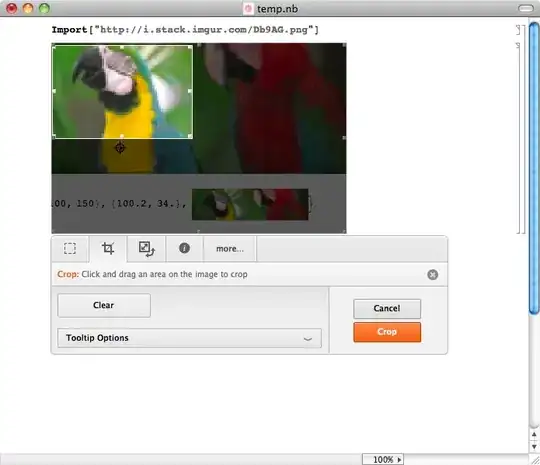
Here's the cropped image:


One way that Manipulate[] can control the portion of the selected image with a locator is:
img = ExampleData[{"TestImage", "Mandrill"}];
{dR, dC} = ImageDimensions[img];
Manipulate[
  Show[img,
    ImageTake[img, {dR-50-p[[2]], dR+50-p[[2]]}, {p[[1]]-50,p[[1]] + 50}]],
{{p, {dR/2, dC/2}}, Locator}]
This lets you scan around, zooming into the image. Control the size by the integers inside ImageTake[] (set to 50 here).
