22

I'm trying to digitize some documents, and I came across a very cool app called camscanner app which performs parallax transform and ocr very nicely, now I'm implementing it in mathematica...

enter image description here

Given a picture of a business card (taken perhaps at an angle) I'd like to read off the information. I'm trying to solve it in two steps:

  1. Calculate the parallax using locators and PerspectiveTransformation[]
  2. Clean up the image and OCR with TextRecognize[]

Here are sample images to work with:

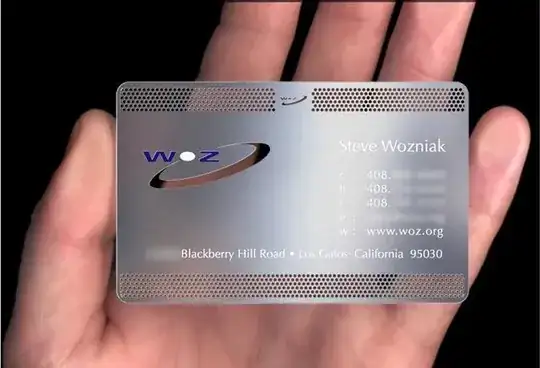
enter image description here enter image description here enter image description here enter image description here enter image description here

M.R.
  • 31,425
  • 8
  • 90
  • 281

1 Answers1

21

Played with some image processing functions, get some rough procedure.

Import the test image:

img = Import["https://i.stack.imgur.com/H2Ksg.jpg"];

Do some gamma adjust to emphasize the edge:

img // ImageAdjust[#, {0, 0, 5}] &;

Draw rough edges:

GradientFilter[%, 2, "NonMaxSuppression" -> True] // ImageAdjust

Binarize and dilate it to form connected edges:

% // MorphologicalBinarize[#, {.1, .1}] & // Dilation[#, 1] &

Draw edges which are straight and long enough:

% // DeleteSmallComponents[#, 3200] &
EdgeDetect[%, 1, .1, "StraightEdges" -> 0.2] // DeleteSmallComponents[#, 300] &

Detect lines:

lines = ImageLines[%];
Show[img, Graphics[{Thick, Orange, Line /@ lines}]]

Mathematica graphics

Extract corners of the card:

lineEqs = Cross[Append[{x, y} - #1, 0], Append[#2 - #1, 0]][[3]] & @@ # & /@ lines
corners = Select[
  {x, y} /. Solve[Thread[# == 0], {x, y}][[1]] & /@
   Subsets[lineEqs, {2}],
  Norm[#] < 2000 &]
{{258.935, 624.228}, {904.807, 376.208}, {75.9044, 279.788}, {739.114, 5.80901}}

Extract the information piece:

correctedimg = With[{w = 900, h = 500},
  transfunc = 
   FindGeometricTransform[{{0, h}, {w, h}, {0, 0}, {w, 0}}, corners][[
    2]];
  ImageCrop[
   ImagePerspectiveTransformation[img, transfunc, 
    DataRange -> Full], {w, h}, Top]
  ]

Mathematica graphics

infoPiece = 
 ImageAdjust[
  ImageCrop[
   ImageCrop[correctedimg, {420, 260}, {Left, Center}], {350, Full}, 
   Right], {5, .1, 1.2}]

Mathematica graphics

Finally, do some OCR:

TextRecognize[infoPiece]

"TRAVIS HOWELL

Graphic + Web Designer

Q 1 23 456 7890

Q trvshowe!|@gmail.com

? www.TravisHD.com"

Conclusion

Though the image processing procedure is very rough, the outcome image could be thought as fair good (at least true for specialised OCR software). So the left work, like Tom said in comment, seems to be about how to make TextRecognize working better.

Silvia
  • 27,556
  • 3
  • 84
  • 164
  • 1
    FWIW the original target used a OCR-friendly typeface that would make the final step significantly more accurate. – Mr.Wizard Jan 21 '13 at 20:05
  • @Mr.Wizard IMO it's not that OCR-friendly. An OCR-friendly font (such as this and this) should have significant difference from one glyph to another. The fonts in the original target is hard to tell capital "I" from lowercase "l". – Silvia Jan 22 '13 at 13:58
  • Nice work Silvia! Does anyone know of any free OCR libraries that one could call from mathematica? – M.R. Jan 23 '13 at 00:24
  • @M.R. Thanks M.R. I don't know any free OCR libs, but I think there should be some open-sourced ones. – Silvia Jan 23 '13 at 00:32
  • I'm trying this with some other images, but I don't know the width and the heights before hand, is there any way around this? – M.R. Jan 23 '13 at 00:37
  • There should be because the app doesn't know this info either and should work on any rectangular document or picture. – M.R. Jan 23 '13 at 00:44
  • The w and h used when getting correctedimg are somehow arbitrary, only it is not too small and the aspect ratio is not too inapposite. The crop sizes used when getting infoPiece, I got them by trials. But it is possible to be done with more automatic ways. At present what comes to my mind is something like ImageAdjust[correctedimg, {5, .1, 1.6}] // Binarize // ImageCrop. – Silvia Jan 23 '13 at 00:49
  • @M.R. There seems to be a lot of free OCR softwares (such as OCRopus). I think it is recommended to adopt one which makes use of intelligent methods like machine learning and contextual analysis. – Silvia Jan 23 '13 at 01:25
  • I'm trying this on other cards and most of the time the lines are wrong :( – M.R. Jan 23 '13 at 17:53
  • @M.R. The procedure above is very rough for real world applications. The parameters used in above image processing generally need manually tuning which vary between cases. To improve it, one way is to use some robuster methods, another way might be as you said, to get the parallax manually using locators. – Silvia Jan 23 '13 at 22:22
  • What would some robuster methods be that I can look into myself? – M.R. Jan 24 '13 at 19:04
  • @M.R. Would it be possible to have some more sample images of the case you concerned? Unfortunately but I myself don't have any cards (especially those printed in English) at my side.. – Silvia Jan 25 '13 at 03:03
  • @silvia I'll add them to the question :) – M.R. Jan 29 '13 at 16:24
  • @silvia The main complication is the fact that there are typically many many straight lines all over the image, and isolating the "most probably a business card" region is the hardest part! – M.R. Jan 29 '13 at 16:26
  • @silvia since paper is normally white perhaps looking at histograms would help for object recognition... – M.R. Jan 29 '13 at 18:29
  • 1
    @M.R. I'm thinking about a solution based on geometric properties (such as a constraint on aspect-ratio of the extracted rectangle) and image segmentation on textures formed by characters. OCR softwares usually use these tech to automatically compose the layout. I'll try and see if this is a right way. – Silvia Jan 30 '13 at 10:35
  • @Silvia any more ideas? – M.R. Mar 22 '13 at 17:49
  • @M.R. Sorry I've been busy in work recently and have got no time to further investigate this problem. But I do suggest some courses like the image and video processing on Coursera, where you might find some modern advanced algorithms which suit the very problem. – Silvia Mar 24 '13 at 15:44
  • @M.R. And have you seen the ASIFT method? I think it's some kind of exactly right method for your problem. – Silvia Mar 24 '13 at 16:23