10

CAUTION/Disclaimer: execution of some of the code below can result in a complete crash of Mathematica or even your system. Save all your work and do not try in a productive situation.

For a graphical application, I need to export graphics containing several hi-res textures at large image sizes.

Consider the following (minimal example) code wich is largely harmless:

Graphics[{Texture[Graphics[Circle[]]], 
  Polygon[{{0, 0}, {1, 0}, {1, 1}, {0, 1}}, 
   VertexTextureCoordinates -> {{0, 0}, {1, 0}, {1, 1}, {0, 1}}]}, 
 ImageSize -> 400]

But upping ImageSize past a given (probably hardware-dependent, in my case ~4000) threshold will crash the frontend+kernel

Graphics[{Texture[Graphics[Circle[]]], 
  Polygon[{{0, 0}, {1, 0}, {1, 1}, {0, 1}}, 
   VertexTextureCoordinates -> {{0, 0}, {1, 0}, {1, 1}, {0, 1}}]}, 
 ImageSize -> 4000]

To make things worse, this also seems to depend on the graphics driver version. I use a NVIDIA GTX 485M card, and with the 296.10 driver, I can go up to about ImageSize -> 8000 while with any newer driver version the system stalls at ImageSize -> 4000.

Does anyone know a workaround? Always reverting to an obsolete driver (which e.g. does not work with CUDALink anymore) is not optimal.

Addendum: Question, Part Two

As pointed out by @cormullion, setting the global preferences for the antialiasing quality in the Preferences dialog helps already a lot and allows much larger ImagesSizes.

Now, how to go about setting/resetting the value of HardwareAntialiasingQuality programmatically?

Yves Klett
  • 15,383
  • 5
  • 57
  • 124
  • What's your Antialiasing preference set to? I had more frequent crashes with this set to medium or high, but far fewer when set to lowest. – cormullion Feb 04 '13 at 08:50
  • @cormullion Cool - setting Antialiasing to None in the Preferences dialog helps working with much larger sizes. Please consider an answer. – Yves Klett Feb 04 '13 at 09:17
  • Since you were the last to pipe up on meta, I'm using your question as a guinea pig to test out the new close options =) Brace yourself for a close storm and/or additional comments :D – rm -rf Jun 26 '13 at 18:45

1 Answers1

4

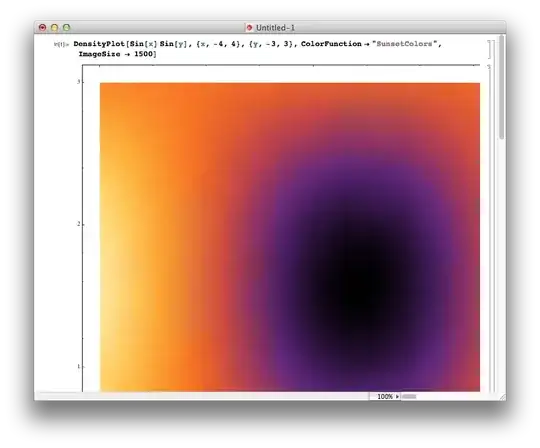
I've had problems when pushing images above a certain size. For example, it's ok at 1500:

DensityPlot[Sin[x] Sin[y], {x, -4, 4}, {y, -3, 3}, 
  ColorFunction -> "SunsetColors", ImageSize -> 1500]

ok plot

But pushing it too far:

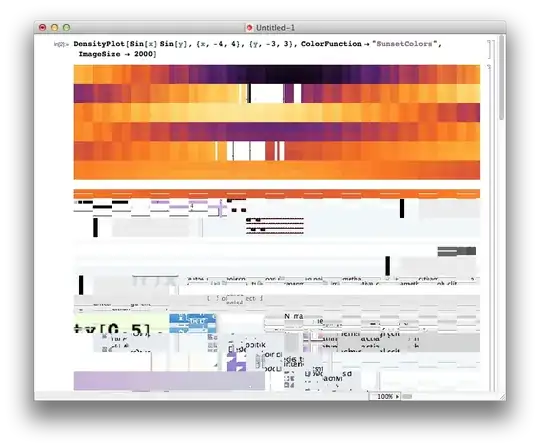
DensityPlot[Sin[x] Sin[y], {x, -4, 4}, {y, -3, 3}, 
  ColorFunction -> "SunsetColors", ImageSize -> 2000]

not ok plot

While I quite like the effect, in an artistic kind of way, clearly Mathematica is reaching into regions of the computer's memory that it shouldn't be. I can see glimpses of other apps, previously opened documents, and so on. (This was a fresh kernel.)

I've had this on versions 8 and 9, and was about to conclude that my computer was going wrong. However, on a hunch, I reset the Antialiasing prefs from Highest down to No Antialiasing, and now the problem doesn't occur very often.

prefs

I must have set it to High for some reason, and forgot that larger images would probably stress it too much.

Your problem may be related!

cormullion
  • 24,243
  • 4
  • 64
  • 133
  • What would be the most convenient way to locally turn off antialiasing without resorting to the preferences menu? – Yves Klett Feb 04 '13 at 09:48
  • 2
    @yves FrontEnd Options contains "RenderingOptions -> {"HardwareAntialiasingQuality" -> 0.}", perhaps you can explore that? – cormullion Feb 04 '13 at 10:01
  • Correct - I just cannot remember the correct way to set that option (if I ever knew that firstplace). Thought it was around, but cannot find it. – Yves Klett Feb 04 '13 at 10:23
  • What OS do you see this happen on ? – rcollyer Feb 04 '13 at 14:51
  • @rcollyer I'm on Mac – cormullion Feb 04 '13 at 16:20
  • What version of the OS? Can you email it to me, plus what hardware your running on? (robertc at everyone's favorite company) I'm not able to reproduce it on my mac running 10.8.2. – rcollyer Feb 04 '13 at 16:24
  • Let me rephrase: I don't get the images from other software, instead I just get a black image once I go above a reasonable threshold in ImageSize. – rcollyer Feb 04 '13 at 16:27
  • @rcollyer I'm on 2.7GHz Intel Core i5, iMac, running 10.8.2. I've sent artistic pictures by email... – cormullion Feb 04 '13 at 17:15
  • Weird. On my Windows machine, I can draw with ImageSize->10000 and highest graphics quality, no problem. Maybe anti-aliased drawing is done by the OS and OSX can't draw to surfaces bigger than the screen resolution? – Niki Estner Jun 27 '13 at 07:45
  • @nikie Judging from some of the questions here, there's an interesting comparison between Windows-only problems and Mac OSX-only problems (not to mention Linux-only problems). Must be hard to write 100% platform-independent code... – cormullion Jun 27 '13 at 07:49