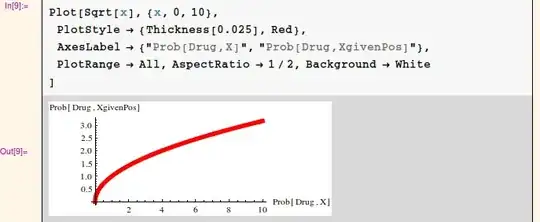
I'm using the standard report stylesheet in Mathematica and when I output a plot, I've set it up so that I get a white background, however the axis labels still have a gray background. How do I change it to white? Here is a small example (you have to change your stylesheet to StandardReport):
Plot[Sqrt[x], {x, 0, 10},
 PlotStyle -> {Thickness[0.025], Red},
 AxesLabel -> {"Prob[Drug,X]", "Prob[Drug,XgivenPos]"},
 PlotRange -> All, AspectRatio -> 1/2, Background -> White
]



LabelStyle -> Directive[Blue, Bold, Background -> White]– DavidC Mar 28 '13 at 21:57