11

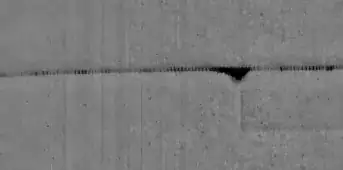
I am trying to search for the black areas along a line (the horizontal line shown below). Though it is straight in this picture, it could be of irregular shape in other cases. It seems that the ImageTake function can only take rectangle areas. Can anyone tell me how to limit the processing within the line neighborhood area, and mark the black area in the left part?

enter image description here

Update: Several raw images without red marks: enter image description here enter image description here enter image description here
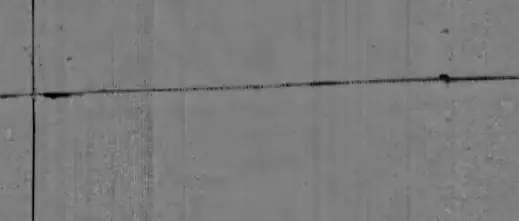
Update2: Other cases with bigger black area somewhere else enter image description here

zhengbli
  • 293
  • 1
  • 8

1 Answers1

18
i = {"https://i.stack.imgur.com/KjTp9.png", 
     "https://i.stack.imgur.com/AuHP7.png", 
     "https://i.stack.imgur.com/jFkNM.png"};
i1 = Import /@ i;

i2 = ColorNegate /@ Binarize /@ i1;

m = Dilation[#, 10]&/@ (Binarize[#, .8]&/@ ImageAdjust/@ DistanceTransform /@ i2);

Grid@{i1, ColorCombine[ {#1, #1, #2}] & @@@ Transpose[{i1, m}]}

Mathematica graphics

Dr. belisarius
  • 115,881
  • 13
  • 203
  • 453
  • Oh fantastic! Thank you so much! That's exactly what I wanna achieve – zhengbli Apr 04 '13 at 03:14
  • I seriously need to learn functional programming. – jmlopez Apr 04 '13 at 03:52
  • @jmlopez Well, that make us two – Dr. belisarius Apr 04 '13 at 03:58
  • I've been trying to get a book on this (Power Programming With Mathematica) but I just can't find it. I guess I'll just learn by reading all the clever answers in here. – jmlopez Apr 04 '13 at 04:15
  • Actually after some test I found a problem. When there is a big black area somewhere else, the small ones would be eliminated. – zhengbli Apr 04 '13 at 18:21
  • @Tinza123 post some examples, please – Dr. belisarius Apr 04 '13 at 18:36
  • Sorry that I forgot to resize the image the first time. Now its up. – zhengbli Apr 04 '13 at 18:38
  • @Tinza123 Except for the size, that black hole is indistinguishable from your targets. If filtering by size is enough for you, 'ComponentMeasurements[..."Area"]' will do. If not, please tell what characteristic do you think could be used to tell the 2 cases apart – Dr. belisarius Apr 04 '13 at 18:41
  • Really appreciate for your time. I want to use the absolute width property as a criteria, and thanks for the hint, I found ComponentMeasurements[..."Width"] seems to do the job. And as to this specific picture, I want to keep both of them (the small one as well as the big one). – zhengbli Apr 04 '13 at 18:51
  • @Tinza123 Ok. Let us know if you need further help – Dr. belisarius Apr 04 '13 at 18:52
  • Actually I do have one further question. I used ImageLines to generate the line: lines = ImageLines[GradientFilter[#, 1]] & /@ i2; Is there any convenient way that I can select all components which have intersections with the line? – zhengbli Apr 04 '13 at 19:08
  • @Tinza123 yes, but it is too much code to post in a comment. Do you want to post a question? – Dr. belisarius Apr 04 '13 at 19:22
  • Yeah sure. I'll do it in a minute. – zhengbli Apr 04 '13 at 19:37
  • @Tinza123 Oh well, I arrived late there – Dr. belisarius Apr 04 '13 at 23:22
  • 1
    @jmlopez Get the book for free here http://mathematica.stackexchange.com/a/22724/193 ... courtesy of a fellow user :) – Dr. belisarius Apr 05 '13 at 02:52
  • Thank you so much for the link green/belisarius!!! I hope now I have a better chance at understanding more of Mathematica. – jmlopez Apr 05 '13 at 03:01