7

I would like to represent a table containing a large amount of information in such a way that I can (a) use scrollbars and (b) have table headings that don't scroll off the screen [just like the Free Panes option in Excel].

headings = Table["Col" <> ToString[i], {i, 1, 10}];
data = Table[RandomReal[], {j, 1, 100}, {i, 1, 10}];
Pane[TableForm[Insert[data, headings, 1]], {400, 300}, Scrollbars -> True]

The code above gives me the scrollbars with an option to adjust the size of the viewing field, but it's not obvious to me how to make the headings stay on the screen. (I'm ignoring rowheadings for the moment, to keep the problem simple, but I would like persistent row headings as well at some point.)

I'm not wedded to Pane or TableForm for that matter. The key components that I'm looking for are an adjustable field size (manipulating the {400,300} in the above example), scrollbars and persistent headings.

bobthechemist
  • 19,693
  • 4
  • 52
  • 138
  • Possible duplicate: http://mathematica.stackexchange.com/q/3868/5 – rm -rf May 14 '13 at 08:15
  • @rm-rf I agree. There are some (relevant?) differences with (a) custom headings in this code and (b) decreased complexity due to not needing edit capabilities. Not sure if that's enough to keep the question around. – bobthechemist May 14 '13 at 14:17
  • I think you can add custom headings to those as well if you modify the right parts... For instance, F'x's answer produces A, B, C as the headings, which just need to be replaced with yours. Don't worry, the question won't be removed, but I'll explicitly mark it as a duplicate so that others can follow on for more complex and robust solutions. – rm -rf May 14 '13 at 15:23

3 Answers3

4

I'd say it was possible, but some work would be required to make it slick:

Pane[
 Column[{
   Pane[
    Grid[Insert[data, headings, 1],
     Background -> {None, {LightCyan}}],
    {800, 15}],
   Pane[
    Grid[data],
    {800, 200}, Scrollbars -> True]
   }]
 ]

grid

cormullion
  • 24,243
  • 4
  • 64
  • 133
  • how about adding ItemSize->All to the Grid definitions. At least they are aligned...albeit do scroll with... – Stefan May 13 '13 at 17:16
  • I hadn't thought of nested panes. This solution handles the vertical scrollbar nicely but we lose the horizontal bar. Grid doesn't seem to behave nicely with the scrollbars either. I edited the answer with a possible next step. The vertical scrollbar gets hidden, however. – bobthechemist May 13 '13 at 17:35
  • 1
    @bobthechemist one idea could be to make the scrollposition of the first pane dynamic to let it update through the scrollposition of the second pane – Stefan May 13 '13 at 17:49
  • @bobthechemist maybe this could help http://mathematica.stackexchange.com/questions/1745/how-to-anchor-a-panes-scroll-position-to-the-bottom – Stefan May 13 '13 at 17:51
  • @Stefan thanks - dynamic sliders do the trick. I've got what I want based on input from this answer and its comments. I don't know the proper Stackexchange etiquette; do I put the final version of my code in a comment and accept this answer? – bobthechemist May 14 '13 at 00:46
  • @bobthechemist best is to add your own answer and accept it. Comments aren't regarded as permanent enough for answers. And you don't have to accept this answer (it was just a PoC)...! – cormullion May 14 '13 at 06:28
2

Here's what I've come up with based on the comments and suggestions posted:

cheadings = Table["Col" <> ToString[i], {i, 1, 10}];
rheadings = Table["Row" <> ToString[j], {j, 1, 100}];
data = Table[RandomReal[], {j, 1, 100}, {i, 1, 10}];
Dynamic@Pane[
  Grid[{
    {"", Pane[TableForm[Insert[data, cheadings, 1]], {500, 15}, 
      ScrollPosition -> {x, 0}], ""},
    {Pane[
      TableForm[Transpose@Insert[Transpose@data, rheadings, 1]], {50, 
       200}, ScrollPosition -> {0, y}],
     Pane[TableForm[data], {500, 200}, ScrollPosition -> {x, y}],
     VerticalSlider[Dynamic[y], {1400, 0, 5}, AutoAction -> True]},
    {"", Slider[Dynamic[x], {0, 550, 5}, AutoAction -> True, 
      ImageSize -> 500], ""}
    }]
  ]

I've added row headings as well. The size variables need to be tweaked manually for the size of the table. Also, I don't know if this is machine dependent or not, but the response time of the Sliders improves dramatically if I set AutoAction -> True (which in the end adds a nice effect IMO).

bobthechemist
  • 19,693
  • 4
  • 52
  • 138
1

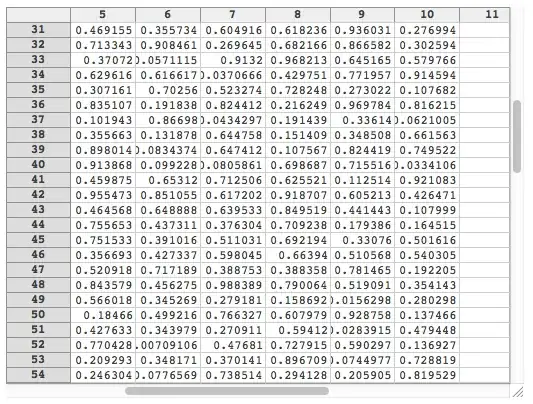
One day, WRI should get round to implementing and documenting the TableView function properly. It's frustratingly close to what you want:

TableView[data] 

but its use isn't recommended (and the TableHeadings options are not implemented anyway).

tableview

cormullion
  • 24,243
  • 4
  • 64
  • 133