Matlab:
>> format long g
>> A=29357.71
A =
              29357.71

>> B=7623.52
B =
                   7623.52
>> A+B
ans =
                  36981.23
I got what I entered. I entered .71 in first input and Matlab doesn't ignore human orders (second law of robotics).
Mathematica:
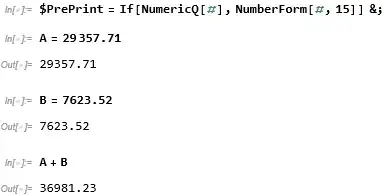
A = 29357.71
29357.7
B = 7623.52
7623.52
A + B
36981.2
In first line it violates second order of robotics: human has entered .71, but Mathmatica think it doesn't matter by it's own reasons.
Is it possible to force Mathematica behave like normal calculator or like Matlab with command format long g?
Using suffix is either insufficient:
A = 29357.71`7
29357.71
B = 7623.52
7623.52
A + B
36981.2
or redundant
A = 29357.71`7
29357.71
B = 7623.52`7
7623.520
A + B
36981.23



Accuracyin the docs. – Syed Feb 05 '22 at 10:55