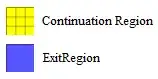
I have a plot for which I would like to create an legend that is black and white printer friendly. I have seen Jen's legendmaker but I don't know how to adapt it. I need help in making the legend for the exit region to appear meshed. The graph is incomplete right now and I will add more stuff to it.. like J and V etc etc but for now I want the exit regions and their legends to be black and white printer friendly. What can I do to get a mesh to appear in the legend for the exit region. Thanks
EDIT: Gaps in code fixed.

I1 = 15;
I2 = 8;
f1[x_] := I1;
f2[x_] := I2;
hddd = 20;
h00d = 60;
h00s = 150;
hsss = 180;
    pl1 = Plot[{f1[x]}, {x, 0, 200}, AxesOrigin -> {0, 0},
       PlotRange -> {-1, 20}, Epilog -> {
         Inset[
          Grid[{{Text[Style["J", "Garamond", 16]],
             Text[Style["First Function", "Garamond", 16]]}, {Text[
              Style["V", "Garamond", 16]],
             Text[Style["Second Function", "Garamond", 16]]}}], {h00s,
           I1 + 3}],
         Inset[
          Grid[{{Item["",
              Background -> RGBColor[0.35082, 0.595178, .853742],
              Frame -> True, FrameStyle -> AbsoluteThickness[1]],
             Style["Continuation Region", "Garamond", 16]}, {Item["",
              Background -> RGBColor[1, 1, .4], Frame -> True,
              FrameStyle -> AbsoluteThickness[1]],
             Style["Exit Region", "Garamond", 16]}}]], Dashed,
         Arrowheads[Small], Arrow[{{h00s, I1}, {h00s, 0}}],
         Arrowheads[Small], Arrow[{{h00d, I1}, {h00d, 0}}],
         Arrowheads[Small], Arrow[{{hddd, I1}, {hddd, 0}}],
         Arrowheads[Small], Arrow[{{hsss, I2}, {hsss, 0}}],
         Inset[Style["Down Boundaries", "Garamond",
           16], {(hddd + h00d)/2, (I1 + I2)/2}],
         Inset[
          Style["Top Boundaries", "Garamond",
           16], {(hsss + h00s)/2, (I1 + I2)/2}],
         }, Ticks -> {{{hddd, Text[Style["HDD", "Garamond", 20]]}, {h00d,
           Text[Style["H0D", "Garamond", 20]]}, {h00s,
           Text[Style["H0S", "Garamond", 20]]}, {hsss,
           Text[Style["HSS", "Garamond", 20]]}}, {{I1,
           Text[Style["High", "Garamond", 20]]}, {I2,
           Text[Style["Low", "Garamond", 20]]}}},
       AxesLabel -> {Text[Style["Variable X", "Garamond", 20]],
         Text[Style["Variable Y", "Garamond", 20]]}];
    pl2 = Plot[{f2[x]}, {x, 0, 200}, AxesOrigin -> {0, 0},
       PlotRange -> {-1, 20}];
    ptd = ListPlot[{{h00d, I2}, {hddd, I1}},
       PlotStyle -> {Directive[Red, PointSize[Large]]},
       AxesOrigin -> {0, 0}, PlotRange -> {-1, 20}];
    pts = ListPlot[{{h00s, I1}, {hsss, I2}},
       PlotStyle -> {Directive[Green, PointSize[Large]]},
       AxesOrigin -> {0, 0}, PlotRange -> {-1, 20}];
    r1 = RegionPlot[
       f1[x] > 0, {x, 0, hddd - 1}, {y, I1 - 0.15, I1 + 0.15},
       PlotStyle -> RGBColor[1, 1, .4], Mesh -> 2];
    r2 = RegionPlot[
       f1[x] > 0, {x, h00s + 1, 200}, {y, I1 - 0.15, I1 + 0.15},
       PlotStyle -> RGBColor[1, 1, .4], Mesh -> 2];
    r3 = RegionPlot[
       f1[x] > 0, {x, 0, h00d - 1}, {y, I2 - 0.15, I2 + 0.15},
       PlotStyle -> RGBColor[1, 1, .4], Mesh -> 2];
    r4 = RegionPlot[
       f1[x] > 0, {x, hsss + 1, 200}, {y, I2 - 0.15, I2 + 0.15},
       PlotStyle -> RGBColor[1, 1, .4], Mesh -> 2];
    r5 = RegionPlot[
       f1[x] > 0, {x, h00d + 1, hsss - 1}, {y, I2 - 0.1, I2 + 0.1},
       PlotStyle -> RGBColor[0.35082, 0.595178, .853742]];
    r6 = RegionPlot[
       f1[x] > 0, {x, hddd + 1, h00s - 1}, {y, I1 - 0.1, I1 + 0.1},
       PlotStyle -> RGBColor[0.35082, 0.595178, .853742]];
    Show[pl1, pl2, ptd, pts, r1, r2, r3, r4, r5, r6]



MeshMarkercan be simply in aGridlike in Your code. – Kuba Jun 05 '13 at 21:07