6

Consider this code:

data = Table[Sin[j^2 + i], {i, 0, Pi, Pi/3}, {j, 0, Pi, Pi/3}];
p1 = Graphics[Raster[data], Frame -> True, FrameStyle -> Large, 
  ImageSize -> 300];
p2 = ListDensityPlot[data, InterpolationOrder -> 0, 
  ColorFunction -> "GrayTones", Frame -> True, FrameStyle -> Large, 
  ImageSize -> 300];
Export["~/Downloads/1.pdf", p1, ImageResolution -> 100]
Export["~/Downloads/2.pdf", p2, ImageResolution -> 100]

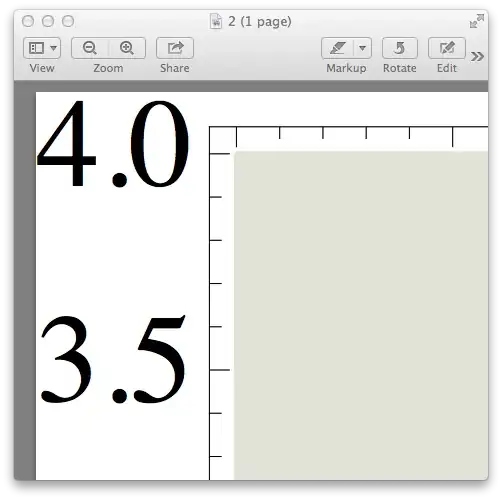
Why does the font in the first plot appear vectorized while the the font in the second does not?
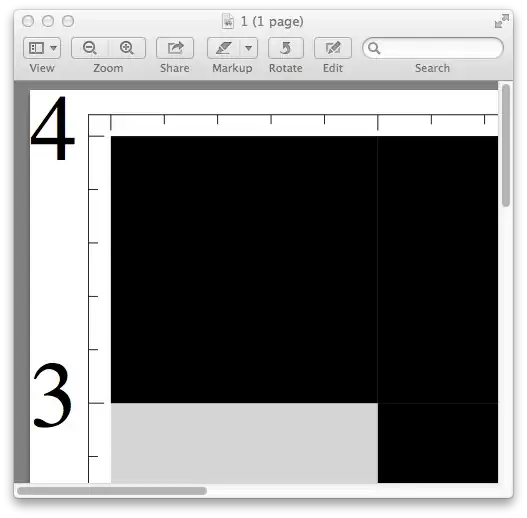
enter image description here enter image description here

Update:

remove the ImageResolution option will vectorize both plots, but ImageResolution is very helpful in reducing the pdf file size and I can't give up on that.

Export["~/Downloads/1.pdf", p1]
Export["~/Downloads/2.pdf", p2]
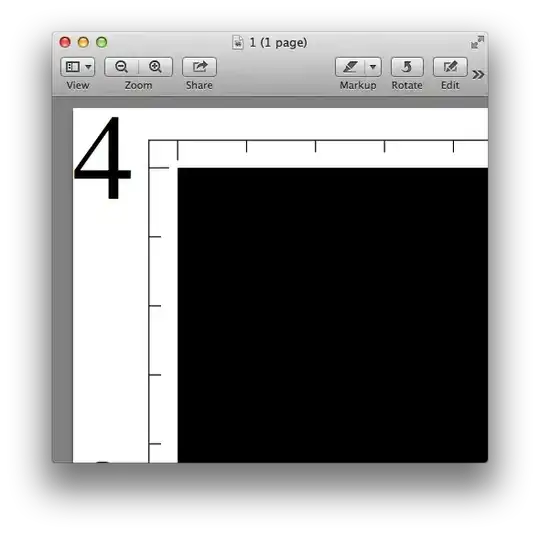
enter image description here enter image description here

VividD
  • 3,660
  • 4
  • 26
  • 42
xslittlegrass
  • 27,549
  • 9
  • 97
  • 186

1 Answers1

2

A possible answer to the question in the title, "How can I get vectorized text when exporting to pdf?" is the same as what I suggested here:

rasterTrick[plot_] := 
 Show[plot, 
  Prolog -> {Opacity[0], Texture[{{{0, 0, 0, 0}}}], 
    VertexTextureCoordinates -> {{0, 0}, {1, 0}, {1, 1}}, 
    Polygon[{{0, 0}, {.1, 0}, {.1, .1}}]}]

Export["~/Downloads/1.pdf", p1 // rasterTrick]

The function rasterTrick is described in the linked answer, and you'll notice that the white lines between the exported gray squares are gone. The density plot has been turned into a bitmap at high resolution, but the frame labels are not rasterized.

So the Export command just needs to be augmented by //rasterTrick.

Jens
  • 97,245
  • 7
  • 213
  • 499
  • Thanks for the help, but the problem seems to be the ImageResolution options. Only use Export["~/Downloads/2.pdf", p2], the frame labels are also not rasterized. – xslittlegrass Jun 20 '13 at 17:27
  • Yes, that's correct. But your reason for adding ImageResolution is to get a better quality density plot, without the white lines, right? I see no other reason to use ImageResolution in the first place. My trick achieves this improvement in quality, as if you had used ImageResolution -> 200, but it applies rasterization only to the plot contents and not to the axes or frames. It's a hack that I discovered by accident, but it's better than ImageResolution here. – Jens Jun 20 '13 at 17:51