Bug fixed in version 13.2.0 or earlier
Several Graphics primitives are listable. For instance, Point accepts lists of coordinates so that multiple calls to Point are often unnecessary.
The results are the same, except for one thing I noticed while working on the eye fixation question, yesterday.
pts = RandomReal[10, {30, 2}];
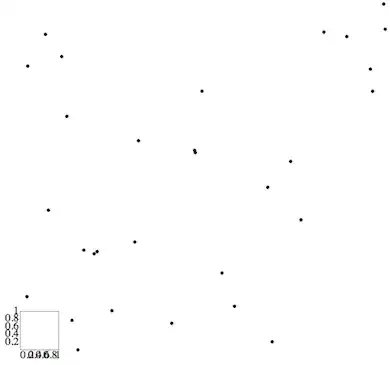
pl1 = Graphics[Point@pts];    (* single Point function call    *)
pl2 = Graphics[Point /@ pts]; (* multiple Point function calls *)
GraphicsRow[{pl1, pl2}, Frame -> All]

The difference lies in the effect on PlotRange. Whereas a list of Points yields a PlotRange of:
AbsoluteOptions[pl2, PlotRange]
(*
==> {PlotRange -> {{0.493385472, 9.588596333}, {0.2849334536, 9.012342799}}}
*)
using the multi-Point syntax gives:
AbsoluteOptions[pl1, PlotRange]
(*
==> {PlotRange -> {{0., 1.}, {0., 1.}}}
*)
The Get Coordinates tool gets the same coordinates in both figures.
The question is: is there any good reason for the PlotRange reported in pl1 or is this a bug?



Graphicsplots each point (if you plotted one by one) such that it is centered in the entire plot. So if you do it individually and calculate thePlotRangefor each, then I would expect that if youShow[]all of them, the plot range would span the minimum and maximum among all the individual ones. So far this is good. However, what you see is exactly half of that. I can't explain for this factor of 2 though. Try:xylims = (Last /@ FullOptions[Graphics[Point@#], PlotRange] &) /@ pts; Through[{Min, Max}@#] & /@ (xylims\[Transpose]). This final number is twice the plot range forpl2– rm -rf Mar 08 '12 at 23:09Complement[Union[FullOptions[pl2], FullOptions[pl1]], Intersection[FullOptions[pl2], FullOptions[pl1]]]you find there are additional options that differ betweenpl1andpl2:AspectRatio,AxesOrigin, andTicks. – kglr Mar 09 '12 at 04:25