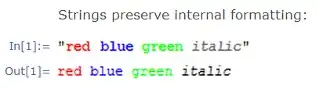
For most strings you can use simply:
ToString[string]
Or more rigorously:
ToString[string, OutputForm]
Observe:

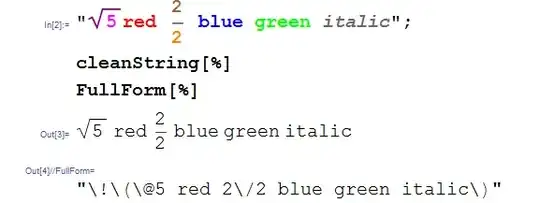
If your styled string includes two dimensional formatting that you do not wish to change you will find OutputForm unacceptable. Of course the 2D formatting itself will mean that the string cannot be in a "plain" form, but we can still strip styling directives such as size, slant, and color. Here is a rather baroque way to deal with that. I will use the gloriously-named UndocumentedTestFEParserPacket described here by John Fultz. I will then convert these Boxes back into a string and strip a remnant TagBox (using StringTake) to produce the cleanest string possible.
parseString[s_String, prep : (True | False) : True] :=
  FrontEndExecute @ FrontEnd`UndocumentedTestFEParserPacket[s, prep]

cleanString[s_String] :=
  ToString[DisplayForm@parseString[s, True][[1, 1]], StandardForm] //
    "\!" <> StringTake[#, {11, -16}] &
Observe: