I'm trying to use new units support in Mathematica 9.
When I Plot Quantity functions everything is OK.
v[e_] := Quantity[0.001, "m^3"] e
Plot[Evaluate@v[e], {e, 0, 1}]
But when I UnitConvert them, I get only an empty image with axes only.
v1[e_] := UnitConvert[v[e], "Liters"]
Plot[Evaluate@v1[n], {n, 0, 1}]
And no error message at all. By the way, Plot likes to do this very much - to draw nothing and not to tell why, and that sucks.
Other standard functions seem to be plottable even with Quantity arguments.
v2[e_] := Sqrt[v[e]]
Plot[Evaluate@v2[n], {n, 0, 1}]
I can't figure out, what is the difference. The only difference I see is a NumericFunction attribute.
In[84]:= Attributes[Sqrt]

Out[84]= {Listable, NumericFunction, Protected}

In[85]:= Attributes[UnitConvert]

Out[85]= {Listable, Protected}
But Quantity values aren't numeric themselves, so this shouldn't make difference, should it?
In[1]:= NumericQ[Quantity[1, "L"]]

Out[1]= False
Can anyone explain this, please? Or is it some kind of bug?
EDIT:
I think, I can answer this myself now.
As for Plot function, there is no sign in documentation and tutorials that using it with units supported. But there is also no sign that it isn't. Everywhere plotting with units is mentioned with different List*Plot functions. And they work fine with some good features:
v0[e_] := Quantity[0.001, "m^3"] e
es = Range[0, 1, 0.1];
cubes = v0 /@ es;
liters = UnitConvert[cubes, "L"];
ListLinePlot[cubes]
ListLinePlot[Transpose@{es, cubes}, AxesLabel -> Automatic]
ListLinePlot[Transpose@{es, liters}, AxesLabel -> Automatic]
or even
ListLinePlot[Transpose@{es, cubes}, AxesLabel -> Automatic, TargetUnits -> "Litres"]
It seems like Plot supports units, but "not very much". There is no TargetUnits parameter, and AxesLabel -> Automatic doesn't place unit names in labels. But still it can be used somehow. For my case, I found two solutions (thanks to @Anon for one of them and for direction to think to another).
This
Plot[Evaluate@UnitConvert[e Quantity[0.001, "Meters"^3], "L"], {e, 0, 1}]
doesn't work.
But this
Plot[Evaluate@UnitConvert[Quantity[0.001 e, "Meters"^3], "L"], {e, 0, 1}]
works. And this (a bit esoteric) variant too:
Plot[Evaluate@UnitConvert[Quantity[e, "m/m"] Quantity[0.001, "Meters"^3], "L"], {e, 0, 1}]
The reason for all these troubles may be the fact that Mathematica lacks a "truly" dimensionless units:
In[774]:= Clear[a]

In[775]:= QuantityUnit[a] (* this is OK, we don't know if 'a' has any \
units at all *)
Out[775]= QuantityUnit[a]

In[776]:= (* but we know that 1 doesn't have any *)
QuantityUnit[1]
Out[776]= "DimensionlessUnit"

In[777]:= (* and surely 1m has *)
QuantityUnit[Quantity[1, "m"]]
Out[777]= "Meters"

In[778]:= (* and this ratio is correctly dimensionless *)
QuantityUnit[Quantity[1, "m"]/Quantity[1, "m"]]
Out[778]= "DimensionlessUnit"

(* this ratio is dimensionless by its nature, but it isn't in Mathematica *)
QuantityUnit[Quantity[a, "m"]/Quantity[1, "m"]]
Out[779]= QuantityUnit[a]
The core of the problem seems to be here:
In[780]:= Quantity[Quantity[1, "m"], "m"]
Out[780]= Quantity[1, ("Meters")^2]
According to physics (and common sence) "1 meter of meters" is nonsense. No way it can be 1 square meter.


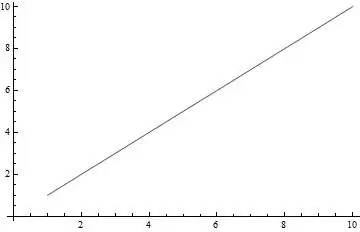
 This second way of changing
TableasTable[v1[e], {e, 1, 5}]and use aListLinePlotasListLinePlot[%]. This will give you the output. Another thing you can do is to convert headQuantitytoListand print its [[1]] usingListLinePlot.Output shall be same in both cases. – Pankaj Sejwal Sep 15 '13 at 14:16UnitConvert[Quantity[0.001 , "Meters"^3], "L"]and it will tell you it does not recognize such a unit. – C. E. Sep 16 '13 at 06:32UnitConvert[Quantity[0.001 , "Meters"^3], "L"]work too. I've just made a screenshot with it, but can't upload it here. – Anatol Sep 16 '13 at 07:02