7

I'm trying to import a matrix from Excel to Mathematica. My code is:

Import["desktop/stproj.xls", "xls", data, 1]

The output is some weird stuff about population counts and not at all related to what's in the excel file. Can anyone help me with importing this?

rm -rf
  • 88,781
  • 21
  • 293
  • 472
  • Marty Cohen's answer below is sage advice--I do the same when I'm trying to import data from a spreadsheet. If that's not an option, then you should probably make your spreadsheet accessible to the SE community.

    One thing I'll mention is that your import command should start with a capital letter (as do all built-in Mathematica functions).

    – Cassini Mar 24 '12 at 04:29
  • 1
    @David, I think = in the original question is important in relation to the "weird stuff about population counts...` OP is puzzled about. – kglr Mar 24 '12 at 04:52
  • 1
    @R.M my comment about the previous edit was unintentionally directed to the David Skulsky. It was intended for David, but I could not figure out how to ping David. I think editing out = in the original version destroys the whole question. – kglr Mar 24 '12 at 07:04

2 Answers2

8

With syntax errors fixed:

  Import[" appropriate path /Desktop/stproj.xls", "xls", "Data", 1]

should import the file.

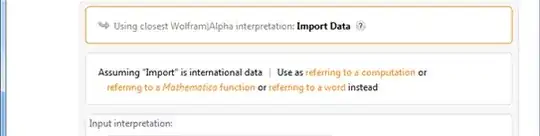
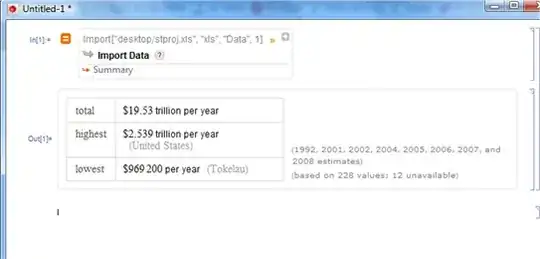
Regarding population counts you are getting, the = sign at the beginning of an input cell invokes Wolfram Alpha query which allows free-form input (hence you get no syntax error warnings). Interestingly, Wolfram Alpha interprets the query somehow and returns:

enter image description here

If you click the red + button on the top right to get the full results, you see why W|A returns with this result:

enter image description here

kglr
  • 394,356
  • 18
  • 477
  • 896
0

Whenever I want to import Excel data, I first save the Excel file as a csv file with either commas or tabs as the separators. The result is a pure text file that can be readily imported and manipulated.